

Super PDF: Scanner & Editor
Sungho Park · Productivity
Independent analytics for this App Store listing. AppTracker is not affiliated with Sungho Park.
Chart standing · US
What changed · US
Listing changes AppTracker has observed for this app in this storefront — new versions, price moves, rating shifts, and store copy.
Faster first-task setup, PDF and photo sharing into the app, more accurate signature placement, and reusable signatures. Improved photo compression and multilingual PDF text. Basic page organization stays free. Safer imports preserve files with the same name; help now explains free limits and document safety.
Screenshots


About
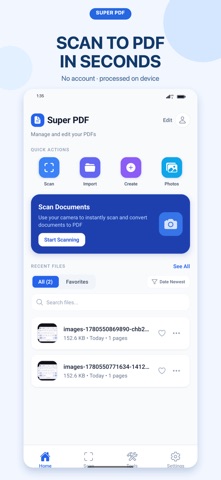
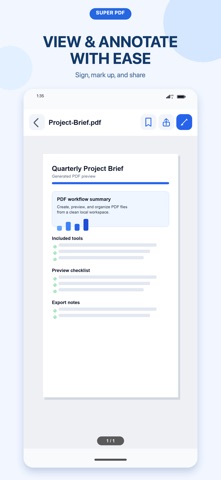
Super PDF — Photos and paper to a PDF, ready to send. No account. No waiting for uploads. Open a PDF, finish the task, and save a new copy. SCAN AND CREATE • Scan paper documents with automatic edge detection • Convert photos and images into PDF files EDIT AND ORGANIZE • Merge, split, rotate, reorder, crop, and extract pages • Add highlights, drawings, signatures, stamps, watermarks, and page numbers • Search, sort, rename, duplicate, favorite, share, and delete PDFs • View and edit document metadata DOCUMENT TOOLS • Compress PDFs and optimize structure for easier sharing • Add a standard PDF open password • Create unlocked copies of compatible PDFs • Cover sensitive areas with black box overlays PRIVATE BY DESIGN PDF editing and conversion happen on your device. Super PDF does not upload your documents to a developer-owned server for processing. 3 successful tool uses to start, then 1 free use every 7 days. Viewing, renaming, sharing, rotating, page organization and metadata editing remain free. Failed tasks and compression with no savings do not use a credit. Pro removes ads and unlocks unlimited tools. Download Super PDF and finish your next PDF task in minutes. Visual cover only. The original content remains recoverable. Compression re-encodes supported JPEG photos and optimizes PDF structure. Light preserves image quality; stronger levels may reduce photo detail. Check the result before sending. A target file size is not guaranteed. PDFs are processed on this device. Advertising, analytics and purchase services process the data described in the privacy policy; they do not receive your PDF contents. Your PDFs are stored inside this app on this device. Use Share to save important copies to Files, Drive or another location. Uninstalling the app can remove local files; automatic backup and recovery are not guaranteed. Terms of Use (EULA): https://www.apple.com/legal/internet-services/itunes/dev/stdeula/ Super PDF Terms of Use: https://immediate-snowflake-c47.notion.site/Super-PDF-Terms-of-Use-3766962466e381ccb3c2ebe139726bed Privacy Policy: https://immediate-snowflake-c47.notion.site/Super-PDF-Privacy-Policy-3766962466e3818ab2facd41c3f94a04 Password removal supports RC4 PDFs with the correct password. AES password removal is not supported.
What's new · 1.1.0
Faster first-task setup, PDF and photo sharing into the app, more accurate signature placement, and reusable signatures. Improved photo compression and multilingual PDF text. Basic page organization stays free. Safer imports preserve files with the same name; help now explains free limits and document safety.
Details