

Swatch: Grid & Feed Planner
Alex Stewart · Photo & Video
Independent analytics for this App Store listing. AppTracker is not affiliated with Alex Stewart.
Chart standing · US
What changed · US
Listing changes AppTracker has observed for this app in this storefront — new versions, price moves, rating shifts, and store copy.
Swatch now syncs live with iCloud. A change made on another device shows up without reopening the app. Settings has a new iCloud row that says when Swatch last synced and tells you plainly if something needs attention. Pinned posts and saved caption blocks now sync across your devices. A profile's only grid can now be deleted. Swatch Pro now works with the new desktop dashboard (beta) at tryswatch.app/desktop.
In-app purchases · US
What this app sells inside itself, grouped by kind and priced for this storefront.
Screenshots



About
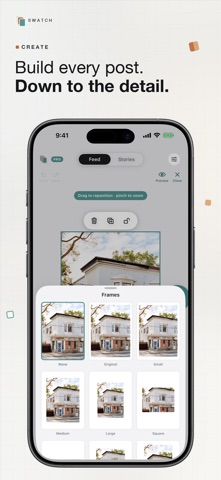
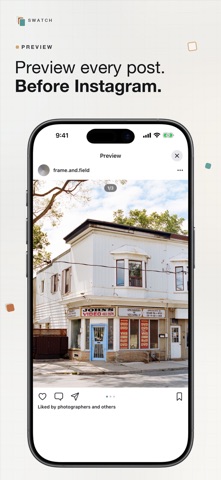
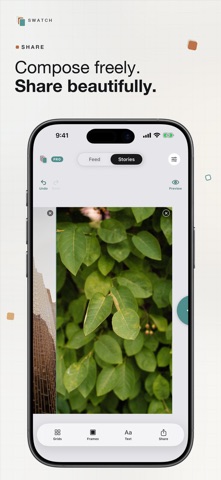
Swatch is the quiet way to plan your Instagram feed. Drag photos into place, preview your whole grid before you post, and see exactly how your profile will look. No account, no ads, no tracking. Everything stays on your iPhone. Plan your grid: rearrange tiles, try layouts, and line up a cohesive feed. Carousels and panoramas: slice one wide photo seamlessly across a carousel. Grids and frames: build multi-photo posts and framed layouts. Caption ideas: written on device, private to you. Multiple accounts: plan every profile you run. Buy Swatch Pro once and keep it forever. No subscription.
What's new · 1.0.18
Swatch now syncs live with iCloud. A change made on another device shows up without reopening the app. Settings has a new iCloud row that says when Swatch last synced and tells you plainly if something needs attention. Pinned posts and saved caption blocks now sync across your devices. A profile's only grid can now be deleted. Swatch Pro now works with the new desktop dashboard (beta) at tryswatch.app/desktop.
Details