

ScanToPrint
晓 郭 · Graphics & Design
Independent analytics for this App Store listing. AppTracker is not affiliated with 晓 郭.
Chart standing · US
Screenshots


About
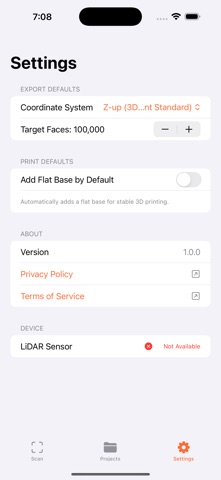
ScanToPrint turns your iPhone's LiDAR sensor into a pocket 3D scanner. Capture real-world objects in seconds and export clean, print-ready models straight to your 3D printer — no computer required. From keepsakes and figurines to vases and mechanical parts, ScanToPrint makes high-quality 3D capture simple. Every scan is automatically processed so it is ready to slice and print. KEY FEATURES • LiDAR 3D Scanning — Use your iPhone's LiDAR sensor to capture detailed 3D scans of real-world objects. • Print-Ready Optimization — Meshes are automatically processed: background removed, geometry optimized, and a flat base added for stable printing. • Real 3D Preview — Inspect every model with an interactive 3D viewer showing exact dimensions on each axis. • Print Estimation — See estimated volume, print time, and material weight before you start printing. • Flexible Export — Export print-ready STL (Binary or ASCII) and OBJ files with your preferred coordinate system. • Scale Control — Resize any model from 10 percent to 500 percent before exporting. • Project Library — Keep all your scans organized with mesh details, dimensions, and file sizes. • 100% Offline & Private — No account, no network, no tracking. Every scan stays on your device. Note: ScanToPrint requires a device with a LiDAR sensor (iPhone 12 Pro and later, iPad Pro 2020 and later). Start scanning the world and bring it to your 3D printer with ScanToPrint.
Details