

Dig Time - Focus Timer
SEOYEON PARK · Productivity
Independent analytics for this App Store listing. AppTracker is not affiliated with SEOYEON PARK.
Chart standing · US
What changed · US
Listing changes AppTracker has observed for this app in this storefront — new versions, price moves, rating shifts, and store copy.
Screenshots





About
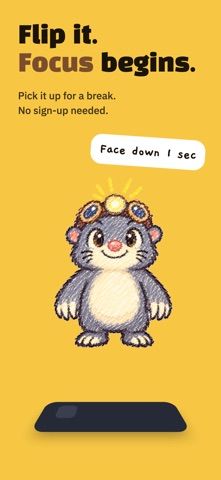
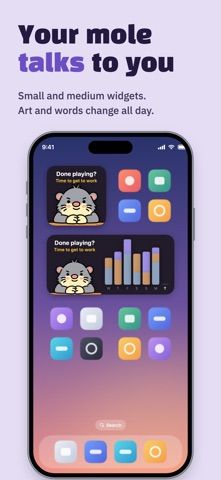
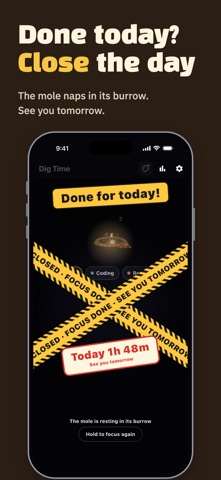
Flip your phone face down and a little mole starts digging. Pick it up and it's break time. No buttons to press. The time your phone stays face down becomes your study log. No sign-up, no login. Open it and go. Made for exam prep, coding, reading, and anything you do better with your phone out of reach. The less you look at the screen, the deeper the mole digs, while your phone quietly keeps time. ■ Face down to focus, pick up to rest - Lay it face down and focus starts after just a second. It won't start by accident while it's in your hand - Can't flip it? Start with a button instead - Rest longer than 30 minutes and the session wraps up on its own - Done enough for the day? Tap "Done for today" to close the day. The mole naps in its burrow until tomorrow ■ Time by item - Split your time into items like exam prep, coding, or reading - See today, this week, this month, and your full history on one screen - When a session ends, save or share the result card as an image - Start with 3 items and unlock one more every 300 hours of focus ■ Pick your mole - Choose Crayon, Goofy, Burrow Mole, Clay, or Felt. All free for now - New items start as a toddler's doodle. Focus 5+ minutes on two different days and it grows into the style you picked - Every item gets a random fur color, and some colors are rare ■ Beyond the app - Keep an eye on the timer from your Lock Screen with Live Activities - Home Screen widgets where the mole says something different depending on your day. Lock Screen widgets too - Apple Watch app and watch face complications show your status at a glance ■ Your records stay on your phone Records are saved on this device. Only an anonymous focus log is kept on our server to verify focus time, and you can delete it anytime in Settings.
What's new · 1.0.5
New Apple Watch app. See on your wrist and watch face whether you're focusing or on a break. Tap "Done for today" to close the day. The mole shows how long it dug today and heads into its burrow. The Home Screen widget mole now shows different art and a line for each state. Lock Screen widgets are new too. On the idle screen, the mole asks "Flip your phone for 1 sec?" The app is now available in English, Japanese, and Simplified Chinese. Also: long-press an item to edit or delete it, and the mole's size and motion are polished.
Details