

Flights Collector
Cheng Huang · Travel
Independent analytics for this App Store listing. AppTracker is not affiliated with Cheng Huang.
Chart standing · US
What changed · US
Listing changes AppTracker has observed for this app in this storefront — new versions, price moves, rating shifts, and store copy.
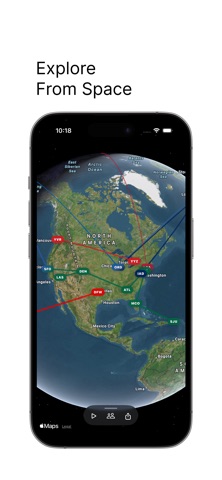
4.0 New: 1. Space Station View: Pull down from the Home view and travel into space to explore your flights from a whole new perspective. 2. Storage Statistics: Get a clearer look at how much storage the app is using. 3. Collector Pro: Unlock higher-quality video exports. Improvements: 1. Redesigned the iCloud backup experience. 2. Improved the map video sharing experience. 3. Looks are now supported by Apple Metal. 4. Note fonts now match the selected Look. 5. Improved the flight ticket list experience. 6. Improved flight animation logic. Bug Fixes: 1. Fixed an issue where memory photos could sometimes display incorrectly. 2. Fixed an issue where tickets could sometimes display incorrectly on iPad. About Local Charms: I'm working on bringing Apple Metal to Local Charms, but there’s a lot happening behind the scenes, and we want to give this experience the time it deserves. For that reason, Local Charms isn’t expanding in 4.0. I'm currently optimizing and redesigning the experience, and Local Charms will be the main focus of our next update.
In-app purchases · US
What this app sells inside itself, grouped by kind and priced for this storefront.
Screenshots
About
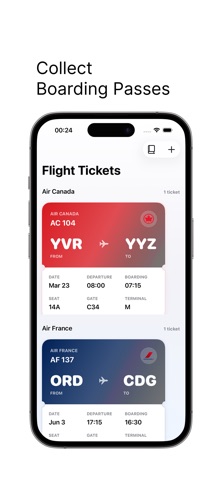
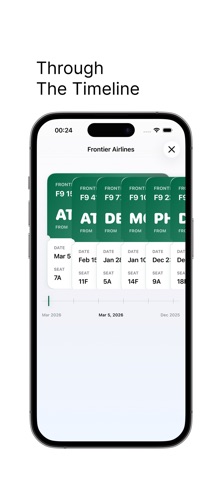
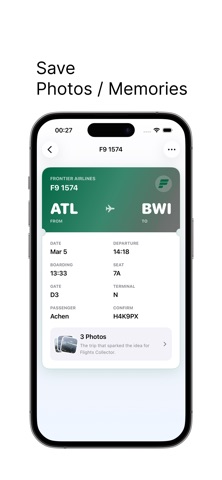
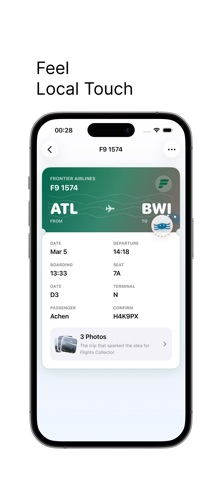
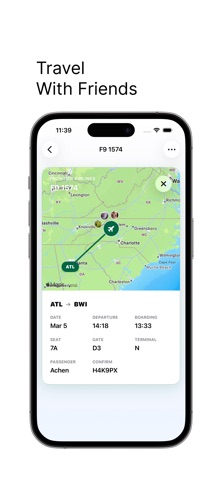
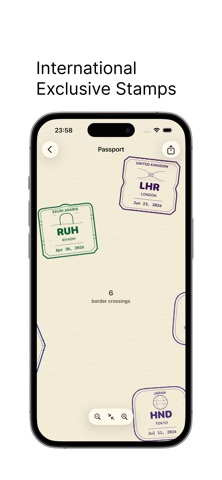
The idea came from a day, which me and my friend went to travel. Of course, he loves to collect boarding pass. However! They charge a fee for printing a pass! That is crazy but understandable. He didn’t collect that one, and he was sad. So! Introducing to you, flights collector! Flights Collector turns every journey into a personal collection. Import boarding passes from Apple Wallet, scan old passes and screenshots, or add flights manually. Watch your flight map grow, collect passport stamps from international journeys, save photos and memories, and look back at everywhere you've flown. 1. Clean UI, no ads. 2. Support import from Wallet, Scan screenshots or photos, or just manually record your tickets. 3. Building memories with every flight.
What's new · 4.0
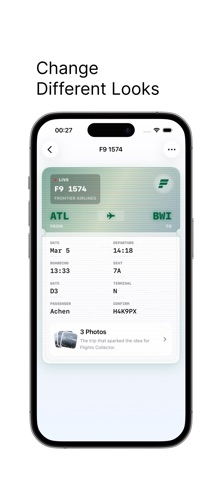
4.0 New: 1. Space Station View: Pull down from the Home view and travel into space to explore your flights from a whole new perspective. 2. Storage Statistics: Get a clearer look at how much storage the app is using. 3. Collector Pro: Unlock higher-quality video exports. Improvements: 1. Redesigned the iCloud backup experience. 2. Improved the map video sharing experience. 3. Looks are now supported by Apple Metal. 4. Note fonts now match the selected Look. 5. Improved the flight ticket list experience. 6. Improved flight animation logic. Bug Fixes: 1. Fixed an issue where memory photos could sometimes display incorrectly. 2. Fixed an issue where tickets could sometimes display incorrectly on iPad. About Local Charms: I'm working on bringing Apple Metal to Local Charms, but there’s a lot happening behind the scenes, and we want to give this experience the time it deserves. For that reason, Local Charms isn’t expanding in 4.0. I'm currently optimizing and redesigning the experience, and Local Charms will be the main focus of our next update.
Details