

Voice to Text · Baro
Euiseok Kim · Utilities
Independent analytics for this App Store listing. AppTracker is not affiliated with Euiseok Kim.
Chart standing · US
What changed · US
Listing changes AppTracker has observed for this app in this storefront — new versions, price moves, rating shifts, and store copy.
• Tactile 3D Hardware Overhaul: Precision-machined studio condenser microphone with luminous amber indicator ring. • Private Voice Notes: 100% on-device speech recognition — audio never leaves your phone, zero cloud servers. • Quick Copy & Share: Export notes or copy full transcripts with a single tap. • 100% Offline: Zero ads, zero tracking, no account required.
Price & rating history · US
Reconstructed from the listing changes AppTracker has observed in this storefront. A field is charted once it has changed more than once, and each line starts at the value it moved from.
Average rating · ★ 0.00 now · 2 changes on record
In-app purchases · US
No in-app purchases.
Screenshots



About
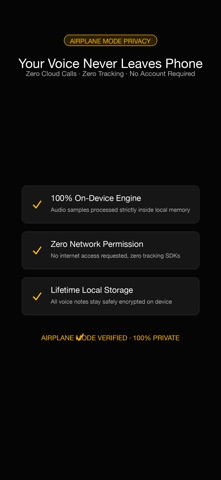
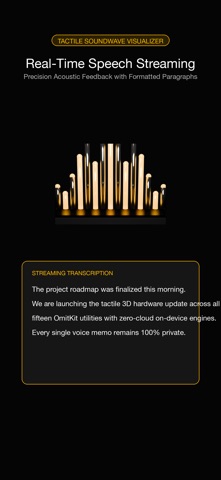
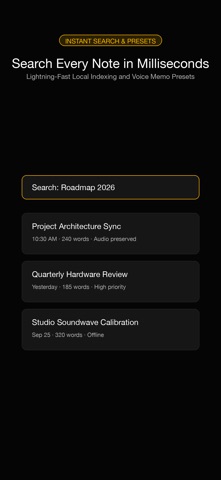
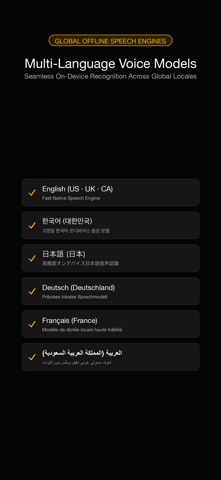
The tools you reach for first. Your voice never leaves your phone. Voice to Text turns speech into text using your iPhone's own on-device recognizer — no internet, no account, no tracking. Turn on airplane mode and it still works. That's the whole point. Speak. It writes. Tap the mic, talk, tap Stop & Save — your words are kept as notes on this device only. ——————————————— The moat: it physically can't leak ——————————————— • Speech becomes text 100% on your phone. Nothing is sent to any cloud or server. • Notes live only in local storage on this device. No sync, no backup SDK, no analytics. • Zero network calls after install. Privacy label: Data Not Collected — provable in airplane mode. ——————————————— What you get ——————————————— • One-tap dictation with a live transcript that grows as you speak. • Pick your dictation language from the ones installed on your device — your iPhone's system language stays as it is. • A local list of notes, each stamped with date and time, searchable by any word inside them. • Read any note back in large, high-contrast text — and edit it, so a misheard word is fixed where it stands. • Copy or share a note — only when you tap, never automatically. Built honest: recognition uses your device's on-device speech engine, so quality and language support depend on iOS. If a language has no offline model, Voice to Text tells you plainly. Sessions are meant for everyday capture, not studio transcription. ——————————————— Built to be read by anyone ——————————————— • 64-point touch targets · AMOLED black · neon amber accent · WCAG-AAA contrast • English · Korean · Japanese · German · French · Simplified Chinese ——————————————— No subscriptions, no ads ——————————————— No subscription. No ads. No account. The one promise a cloud rival can't match. Voice to Text joins Scanner, Magnifier, and Translator — lightweight tools that respect your data. "The tools you reach for first."
What's new · 1.2.22
• Tactile 3D Hardware Overhaul: Precision-machined studio condenser microphone with luminous amber indicator ring. • Private Voice Notes: 100% on-device speech recognition — audio never leaves your phone, zero cloud servers. • Quick Copy & Share: Export notes or copy full transcripts with a single tap. • 100% Offline: Zero ads, zero tracking, no account required.
Details