

Noteleaf: Handwritten Notes
masafumi matsumoto · Productivity
Independent analytics for this App Store listing. AppTracker is not affiliated with masafumi matsumoto.
Chart standing · US
What changed · US
Listing changes AppTracker has observed for this app in this storefront — new versions, price moves, rating shifts, and store copy.
Noteleaf 1.8 - Device Sharing and notebook sharing now work when either device has Premium. The other device doesn't need to purchase. - Fixed an issue where shared notebooks or PDFs opened while the app was closed could fail to import even after purchase. - Fixed an issue where resting Apple Pencil on an image or PDF switched the tool to the hand tool. - Undo now works per page, and you can undo deleting or moving images and text, and converting handwriting to text. - In two-page view, delete, PDF export, and page insertion now act on the page you are working on. - You can jump straight to the matching page from search results. - Device Sharing is more secure. Update both devices to 1.8 and pair them again. - Other improvements and bug fixes.
In-app purchases · US
What this app sells inside itself, grouped by kind and priced for this storefront.
Screenshots



About
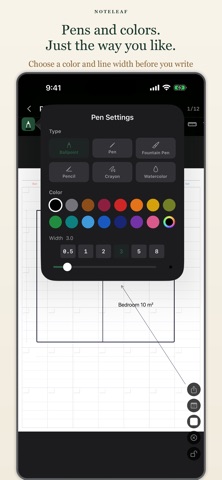
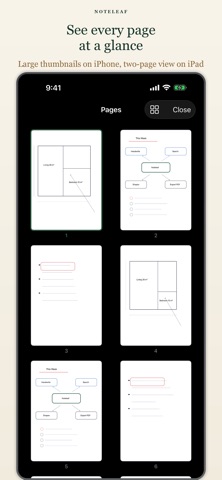
Noteleaf is a handwriting notebook that feels like real looseleaf paper. Write freely with Apple Pencil, rearrange pages, choose from templates, and make it your own. ■ Key Features Looseleaf Feel Pages can be reordered freely, just like real looseleaf paper. Move, insert, or remove pages to organize your notes the way you want. Handwriting with Apple Pencil Write naturally with Apple Pencil. Supports Scribble. Turn on Apple Pencil-Only Mode in Settings to prevent accidental palm touches. Ruler Tool Draw perfectly straight lines at any angle using the on-screen ruler — no physical ruler needed. 10 Page Templates Choose from blank, lined, wide-ruled, grid, dot grid, Cornell, and more. Mix templates freely within a single notebook. 16 Leather Cover Colors Personalize each notebook with a color that suits you — 16 rich leather-style covers to choose from. PDF Export Export any notebook as a PDF to share or archive your notes. Notebook Sharing Share notebooks with others in the app's native format. Device Sharing and notebook sharing work when either device has Premium — the other device doesn't need to purchase. ■ One-Time Purchase Noteleaf is free to download. One in-app purchase unlocks: ・ Unlimited notebooks (free tier: 1 notebook) ・ PDF export ・ Notebook sharing All handwriting features are available for free. No subscription. No account required.
What's new · 1.8
Noteleaf 1.8 - Device Sharing and notebook sharing now work when either device has Premium. The other device doesn't need to purchase. - Fixed an issue where shared notebooks or PDFs opened while the app was closed could fail to import even after purchase. - Fixed an issue where resting Apple Pencil on an image or PDF switched the tool to the hand tool. - Undo now works per page, and you can undo deleting or moving images and text, and converting handwriting to text. - In two-page view, delete, PDF export, and page insertion now act on the page you are working on. - You can jump straight to the matching page from search results. - Device Sharing is more secure. Update both devices to 1.8 and pair them again. - Other improvements and bug fixes.
Details