

Learn Italian: 6700 Words
Ryosuke Yokota · Education
Independent analytics for this App Store listing. AppTracker is not affiliated with Ryosuke Yokota.
Chart standing · US
What changed · US
Listing changes AppTracker has observed for this app in this storefront — new versions, price moves, rating shifts, and store copy.
• Added optional correct-word audio after answering word-choice quizzes • Added a setting to review each multiple-choice answer and tap Next manually • Improved speaker buttons, study screens and audio playback / Improved the purchase screen • Improved word-order questions: you can now drag and drop words already placed in the answer to rearrange them. • Fixed an issue where questions from other sections could appear after selecting a section.
Screenshots




About
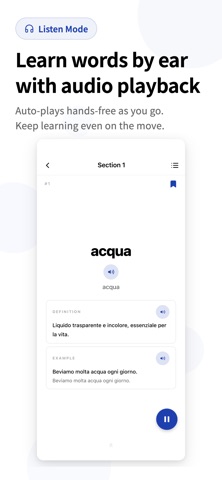
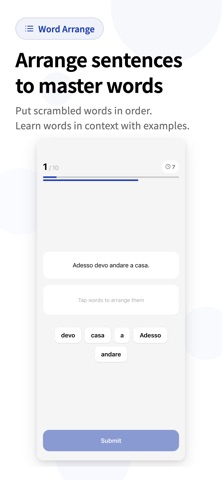
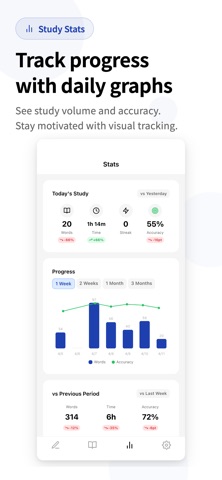
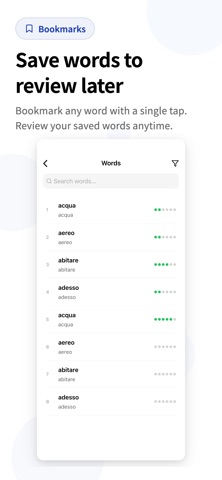
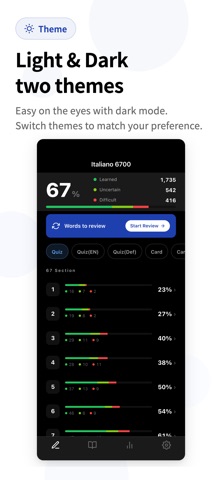
Build your Italian vocabulary with 6,700 words organized from CEFR A1 to B2. Work through 67 sections at your own pace. WHAT EACH ENTRY INCLUDES - Italian headword and definition - Italian example sentence - English and Japanese meanings and example translations - Audio for the word, definition, and example SIX STUDY FORMATS - Italian-to-meaning multiple-choice quiz - Meaning-to-Italian multiple-choice quiz - Italian definition quiz - Italian-to-meaning flashcards - Meaning-to-Italian flashcards - Sentence-order practice using Italian examples REVIEW AND TRACK PROGRESS Bookmark words, review difficult items across sections, and follow your progress with study charts, streaks, and mastery indicators. Question count and time-limit settings let you adjust each session. MADE FOR - Beginners working through A1 and A2 vocabulary - Intermediate learners expanding toward B1 and B2 - Learners building vocabulary for travel, study, work, or the CILS exam The app interface and meaning translations are available in English and Japanese. Some study formats and features require an in-app purchase.
What's new · 1.3.6
• Added optional correct-word audio after answering word-choice quizzes • Added a setting to review each multiple-choice answer and tap Next manually • Improved speaker buttons, study screens and audio playback / Improved the purchase screen • Improved word-order questions: you can now drag and drop words already placed in the answer to rearrange them. • Fixed an issue where questions from other sections could appear after selecting a section.
Details