

Markdown Editor: Linen
Ctrl Alt Go Ltd · Utilities
Independent analytics for this App Store listing. AppTracker is not affiliated with Ctrl Alt Go Ltd.
Chart standing · US
What changed · US
Listing changes AppTracker has observed for this app in this storefront — new versions, price moves, rating shifts, and store copy.
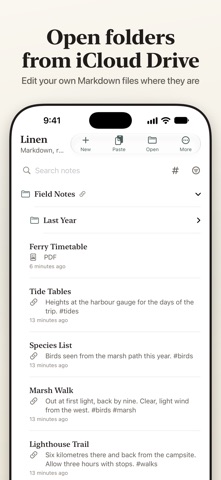
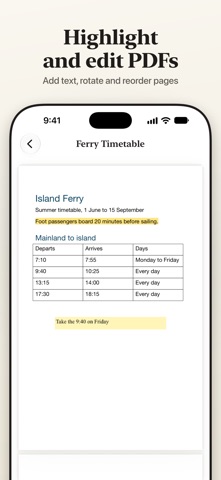
A big update. • PDFs: open them in Linen, highlight, underline, add text, and rearrange pages • Linked folders: open a folder from iCloud Drive or Files and edit its Markdown files in place • Links between notes with [[double brackets]], backlinks, and #tags • Math (LaTeX) and diagrams (Mermaid) in the preview and in exports • Pictures: insert one or paste it from the clipboard • Version history for every note • Four themes and adjustable text size • An editor that colors Markdown as you type, an outline of headings, find, and focus mode • Rich Text export • Tick tasks right in the preview
In-app purchases · US
What this app sells inside itself, grouped by kind and priced for this storefront.
Screenshots



About
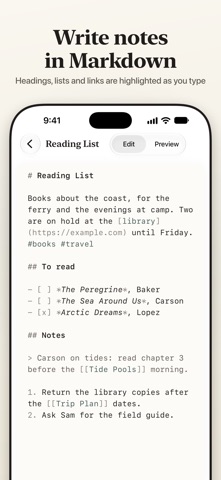
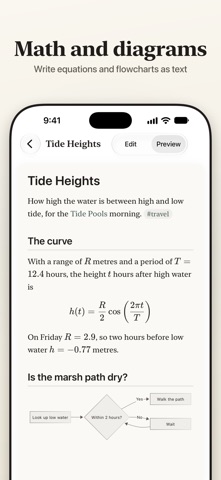
Linen is a Markdown notes app for iPhone, iPad and Mac. Write your notes in Markdown and switch to the preview to see them formatted. WRITE • An editor that colors headings, lists, links and code as you type • One menu for headings, bold, italic, lists, tasks, quotes, code and tables • Outline to jump between headings, find in note, and a focus mode that hides everything but the note • Insert a picture or paste one from the clipboard READ • A preview of your note with GitHub Flavored Markdown formatted: tables, footnotes, code with syntax colors, and task lists you can tick • Math typeset from LaTeX, inline or on its own lines • Diagrams drawn from Mermaid text: flowcharts, sequence diagrams, timelines and more • Four themes, Linen, Paper, Sepia and Slate, each in light and dark, with adjustable text size CONNECT • Link notes to each other with [[double brackets]] and see which notes link back • Tag notes with #tags and show every note that carries a tag • Version history keeps earlier versions of a note, ready to bring back YOUR FILES • Keep notes in folders inside Linen, or open .md files from anywhere • Linen Pro: open a whole folder from iCloud Drive or Files and work on its Markdown files where they are. • Open PDFs beside your notes. Linen Pro: highlight, underline, add text, and rotate, reorder, add or delete pages. SHARE • Export Markdown. Linen Pro: export HTML, PDF and Rich Text. • Linen Pro on Mac and iPad: editor and preview side by side. Linen is free for up to five notes. Linen Pro removes the limit and adds the features marked above, as a weekly subscription or a one-time lifetime purchase. Terms of Use (EULA): https://www.apple.com/legal/internet-services/itunes/dev/stdeula/
What's new · 2.0
A big update. • PDFs: open them in Linen, highlight, underline, add text, and rearrange pages • Linked folders: open a folder from iCloud Drive or Files and edit its Markdown files in place • Links between notes with [[double brackets]], backlinks, and #tags • Math (LaTeX) and diagrams (Mermaid) in the preview and in exports • Pictures: insert one or paste it from the clipboard • Version history for every note • Four themes and adjustable text size • An editor that colors Markdown as you type, an outline of headings, find, and focus mode • Rich Text export • Tick tasks right in the preview
Details