

Video Speed Editor: Slow Mo
Phuc Pham · Photo & Video
Independent analytics for this App Store listing. AppTracker is not affiliated with Phuc Pham.
Chart standing · US
What changed · US
Listing changes AppTracker has observed for this app in this storefront — new versions, price moves, rating shifts, and store copy.
Bug fixes and performance improvements.
Screenshots





About
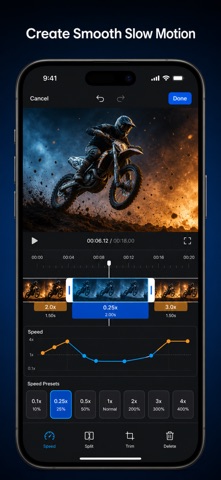
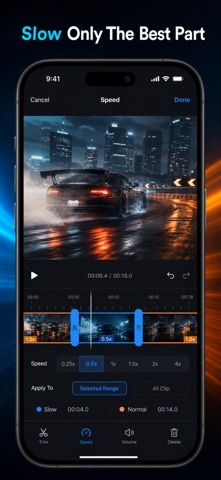
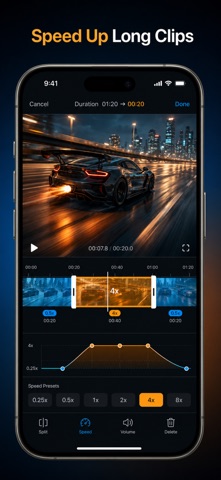
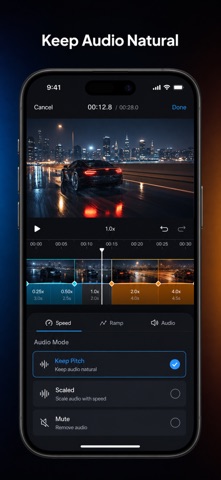
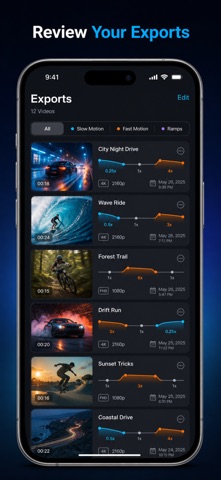
Turn any clip from your camera roll into true slow motion — or a racing timelapse — with one slider. Pick the moment, drag the speed, watch it change instantly, save to Photos. Most speed apps make you slow the WHOLE video. This one edits by section. Mark an in and out point, drop that span to 0.1x, leave the rest at full speed, then add a second fast section further down the same clip. That is a real speed ramp — the move that makes a jump, a kick, a splash or a skate trick look cinematic instead of just slow. Six one-tap ramp presets (Bullet Time, Smooth Ramp, Highlight, Hyperlapse, Timelapse, Build and Drop) place the sections for you if you would rather not do it by hand. WHAT YOU GET - Any speed from a 0.1x crawl to an 8x timelapse, set on a live preview you can scrub - Multiple speed sections in one clip, so slow and fast live in the same video - One-tap ramp presets that build the whole ramp on whatever clip is loaded - Audio that keeps its natural pitch instead of turning into chipmunk voice, or mutes - Export the way you need it: original / 1080p / 720p / 480p at 24, 30 or 60 fps - Every finished clip kept in an in-app Gallery you can replay, share or delete PERFECT FOR - Sports and action footage where the payoff lasts half a second - Skate, dance, gym and martial arts clips that need a slow-motion beat - Travel and street footage compressed into a fast 4x-8x hyperlapse - Reels, shorts and vlogs that need a speed change to hold attention WHY NOT JUST USE THE PHOTOS APP? The built-in editor only re-slows footage you already shot in slo-mo mode, and only in one continuous stretch. This works on any video in your library — clips you filmed normally, clips you were sent, clips you saved — and lets you put as many different speeds on one timeline as the edit needs. PRIVACY Every frame is processed on your iPhone. Nothing is uploaded, no account is required, and no video ever leaves your device. FULL ACCESS The free version exports 3 videos, capped at 15 seconds of output and marked with a small watermark. Full Access removes all three limits: unlimited exports, no watermark, no length cap, full-resolution output and keep-pitch audio. Choose a weekly plan, a yearly plan, or a one-time lifetime unlock — whichever fits how often you edit. Import a clip, drag the slider to 0.25x, and finally see the moment you actually wanted. Terms of Use (EULA): https://web-levi.web.app/terms Privacy Policy: https://web-levi.web.app/privacy-policy Questions? tphuc.work@gmail.com
What's new · 1.1.1
Bug fixes and performance improvements.
Details