

Collage Maker: Pic Grid Photo
Vishal Kalkani · Photo & Video
Independent analytics for this App Store listing. AppTracker is not affiliated with Vishal Kalkani.
Chart standing · US
What changed · US
Listing changes AppTracker has observed for this app in this storefront — new versions, price moves, rating shifts, and store copy.
- Vibrant Studio Redesign: A brand new, colorful interface with streamlined editing tools and smoother navigation. - 15 Aesthetic Background Textures: Fresh patterns including terrazzo, minimal grid, paper grain, and waves. - Upgraded AI Cutout Studio: Faster automatic background removal with refined Erase, Restore, and Feather tools. - Enhanced Collage Layouts: Redesigned layout cards, rounded corners, custom borders, and social aspect ratios. - Resolution Save and Share: Redesigned export flow with Ultra 4K rendering and quick sharing. - Performance Boosts: Faster image processing and overall stability improvements.
Ratings breakdown · US
The star breakdown behind this app's rating in this storefront.
Screenshots



About
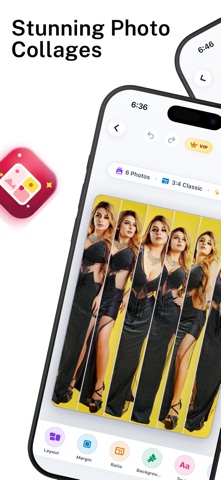
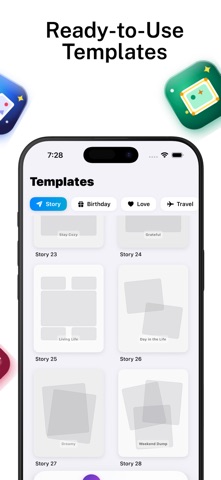
Turn your favorite photos into clean photo collages, aesthetic layouts, and social media stories in seconds. Whether you want to combine family pictures, create side-by-side comparison photos, design aesthetic Instagram grids, or cut out subjects with one-tap AI, Collage Maker gives you complete creative tools in one easy-to-use app. Remix up to 10 photos instantly, customize borders and spacing, apply solid colors, gradients, or textures, and save your creations in crystal-clear Ultra 4K resolution. CORE FEATURES Photo Grids and Layouts - Combine up to 10 photos into seamless grid arrangements. - Adjustable border width, margin padding, and corner curvature. - Swap layout styles instantly while preserving selected photo positions. - Side-by-side mode for before and after comparisons. AI Background Remover and Cutout - Automatic subject detection powered by Apple Vision technology. - Remove backgrounds in a single tap without manual tracing. - Erase and restore brush with adjustable sizing for precise edge refinement. - Edge feathering slider for smooth, natural cutout blending. - Export transparent PNG cutouts ready for graphic design or sharing. Background Customization and Textures - 15 procedural vector textures including paper grain, dots, terrazzo, grid, and geometric patterns. - Curated solid color palette and two-tone gradient fills. - Auto-blur background mode for portrait depth-of-field effects. Social Media Canvas Ratios - Preset aspect ratios for Instagram feed, Stories, Reels, TikTok, Pinterest, and Facebook. - MultiFit no-crop feature to display vertical or horizontal photos without clipping edges. Freestyle Scrapbook Canvas - Place, rotate, and scale pictures freely across an open workspace. - Multi-layer arrangement for moodboards, scrapbooks, and creative collages. Photo Editor and Enhancements - Precise adjustments for brightness, contrast, saturation, exposure, warmth, and sharpness. - Curated photo filters including vintage, clean black and white, cinematic, and natural tones. - Typography tool with custom fonts, colors, and text alignment. - Creative stickers and freehand drawing brushes. High-Resolution Export - Choose between Standard, HD, and Ultra 4K export quality. - High-fidelity rendering engine preserves photo clarity and detail. - Direct save to your Photo Library and quick sharing options. Privacy and On-Device Processing All image editing and AI subject cutout processing happen securely on your device. Your photos are never uploaded or stored on external cloud servers. Privacy Policy: https://sites.google.com/view/kalkani-privacy-policy/home Terms of Use (EULA): https://www.apple.com/legal/internet-services/itunes/dev/stdeula/
What's new · v1.7
- Vibrant Studio Redesign: A brand new, colorful interface with streamlined editing tools and smoother navigation. - 15 Aesthetic Background Textures: Fresh patterns including terrazzo, minimal grid, paper grain, and waves. - Upgraded AI Cutout Studio: Faster automatic background removal with refined Erase, Restore, and Feather tools. - Enhanced Collage Layouts: Redesigned layout cards, rounded corners, custom borders, and social aspect ratios. - Resolution Save and Share: Redesigned export flow with Ultra 4K rendering and quick sharing. - Performance Boosts: Faster image processing and overall stability improvements.
Details