

Audio Joiner & Merger: Audjio
Vikram Singh · Music
Independent analytics for this App Store listing. AppTracker is not affiliated with Vikram Singh.
Chart standing · US
What changed · US
Listing changes AppTracker has observed for this app in this storefront — new versions, price moves, rating shifts, and store copy.
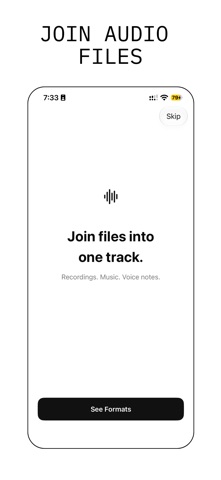
## What's New — 3.0 • New navy and white look, in light and dark mode. • New welcome flow that shows how a merge works. • Stronger text contrast, including with Increase Contrast on. • Smoother launch, and more reliable import, save, and share screens. • Stability and performance improvements.
In-app purchases · US
What this app sells inside itself, grouped by kind and priced for this storefront.
Screenshots




About
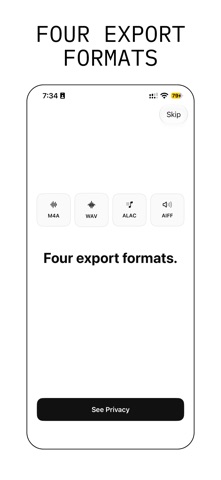
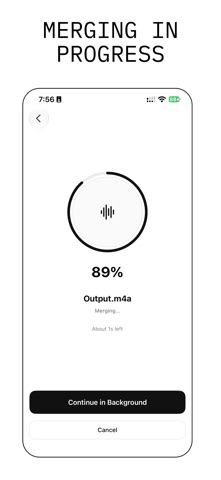
Join audio files into one track. Audjio takes two or more files and merges them, in the order you choose, into a single track. Stitch voice memos into one recording. Combine song parts. Join podcast segments, lecture recordings, or audiobook chapters. HOW IT WORKS 1. Import files from the Files app, or pick videos from your photo library. 2. Set the order with the arrows. Play any file to check it. 3. Choose an output format and tap Merge. 4. Play the finished track right away. WHAT YOU CAN IMPORT • Audio: MP3, M4A, WAV, AIFF, and other formats iPhone can play. • Video: MP4 and MOV. Audjio keeps the sound and drops the picture. • Many files at once. Add more at any time before you merge. WHAT YOU GET • One track, in your order. • M4A at 128, 192, or 256 kbps. • ALAC for lossless audio in a smaller file. • WAV or AIFF for uncompressed audio. • A built-in player with seek and 10-second skip. • A Library that keeps every merged track, ready to play or reuse in a new merge. • Long merges keep going while you use the rest of the app. • Light and dark appearance, Dynamic Type, and VoiceOver support. Audjio does not export MP3. PREVIEW AND PRO Without a subscription you can import, reorder, merge, and play the finished track inside the app. Saving a track to Files and sharing it to other apps require Audjio Pro. AUDJIO PRO • Save to Files: keep tracks anywhere on your iPhone or iCloud Drive. • Share: send tracks to AirDrop, Messages, Mail, or any app. SUBSCRIPTION TERMS Audjio Pro is an auto-renewing subscription with two plans: Weekly and Yearly. The price for each plan is shown in the app before you buy. Payment is charged to your Apple Account at confirmation of purchase. The subscription renews automatically unless it is cancelled at least 24 hours before the end of the current period. Your account is charged for renewal within 24 hours before the end of the current period. Manage or cancel in iPhone Settings → your name → Subscriptions. Privacy Policy: https://1kbapps.com/audjio/ Terms of Use (EULA): https://www.apple.com/legal/internet-services/itunes/dev/stdeula/ Questions? Email support@1kbapps.com
What's new · 3.0
## What's New — 3.0 • New navy and white look, in light and dark mode. • New welcome flow that shows how a merge works. • Stronger text contrast, including with Increase Contrast on. • Smoother launch, and more reliable import, save, and share screens. • Stability and performance improvements.
Details