

Print to Size: Photo PDF
冲 洪 · Photo & Video
Independent analytics for this App Store listing. AppTracker is not affiliated with 冲 洪.
Chart standing · US
What changed · US
Listing changes AppTracker has observed for this app in this storefront — new versions, price moves, rating shifts, and store copy.
Bug fixes and improvements.
Screenshots


About
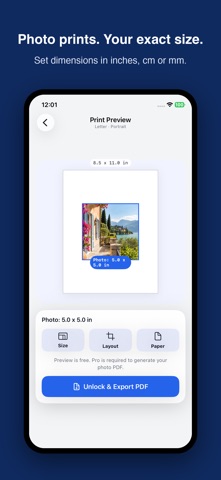
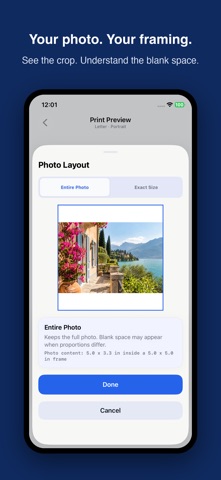
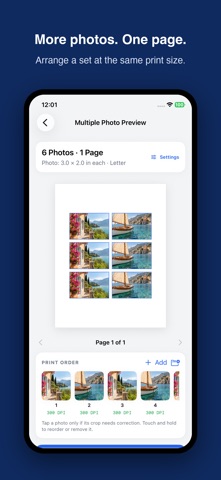
Print photos at the exact physical size you need. Printmira helps you set real dimensions, preview your photos on paper, and export true-size PDFs for accurate printing. Use the simple one-photo workflow, or combine up to 20 photos into one PDF with shared print settings. Whether you need a 5 x 7 photo, a 4 x 6 print, a 2 x 2 image, a craft pattern, or a custom paper layout, Printmira keeps the workflow simple and precise. Key features: • Set exact photo dimensions in inches, centimeters, or millimeters • Preview your photo on Letter, A4, 4 x 6, or 5 x 7 paper • Export a true-size PDF for accurate printing • Check print quality with estimated DPI • Use Fit or Fill to control how your photo is placed • Combine up to 20 photos into one PDF with Pro batch printing • Choose Auto Arrange or One Per Page for multiple photos • Add optional cut guides and adjust individual photo crops • Save recent print projects on your device • Get a clear reminder to print at 100% scale How it works: 1. Choose the physical print size you need 2. Select a photo from Photos or Files 3. Preview it on paper and export a true-size PDF For batch printing, choose one shared print configuration, select multiple photos, review the page arrangement, and export one PDF. Create, edit, and preview photo projects for free. Generating photo PDFs requires Printmira Pro with monthly, annual, or lifetime access. Print smarter. Print at the right size. Terms of Use: https://www.apple.com/legal/internet-services/itunes/dev/stdeula/
What's new · 1.8.6
Bug fixes and improvements.
Details