

StatementSnap
KRISHNA PINNAMANENI · Finance
Independent analytics for this App Store listing. AppTracker is not affiliated with KRISHNA PINNAMANENI.
Chart standing · US
What changed · US
Listing changes AppTracker has observed for this app in this storefront — new versions, price moves, rating shifts, and store copy.
Import bank exports with less cleanup. • Find transaction headings below account summaries automatically. • Detect comma, semicolon and tab separators from the transaction table. • Report introductory and repeated heading rows separately while preserving source text and transaction order. • Invalid transaction rows still get clear review warnings. Also includes Unicode CSV/TSV support, quoted multiline descriptions, decimal-comma amounts, and improved checks for malformed quotation marks and ambiguous money formats.
Screenshots



About
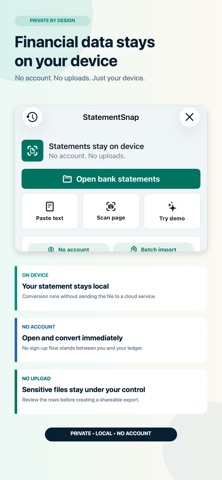
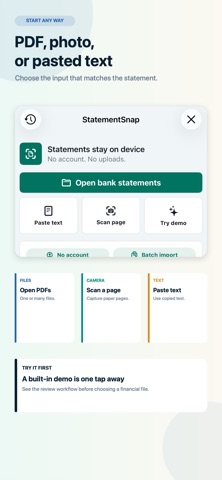
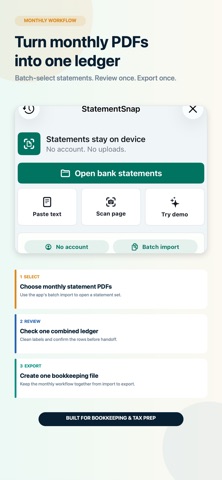
Turn bank and card statements into editable spreadsheets and accounting files, with a review step before export. StatementSnap processes statement content on your device. No account or statement upload is required. IMPORT AND RECOVER • Import PDFs, CSV/TSV exports, and statement text; batch-select multiple files. • Read comma, semicolon and tab separators, Windows line endings, quoted multiline descriptions and Unicode spreadsheet exports. • Check decimal-comma money, ambiguous separators, shifted columns and malformed quotes before using the results. • Keep usable statements when another file cannot be read. • See which files failed and what to try next. A failed import preserves the current workspace. • Choose month/day/year or day/month/year for CSV imports. Automatic detection checks the date column and flags ambiguous dates for review. • Unrecognized CSV columns get clear recovery guidance. Invalid numeric dates are not silently moved into another month. CHECK WHAT IS MISSING • Build a checklist of the accounts and months you expect. • Add expected accounts even before any statement has arrived. • Review statement coverage and source evidence, and copy a missing-statement request. • A coverage checklist helps organize collection; it does not certify that a statement or ledger is complete. REVIEW TRANSACTIONS • Search descriptions, dates, amounts, balances, categories, notes, and source filenames. • Inspect the original source row, edit descriptions and categories, and resolve rows needing attention. • Review balance checks and duplicate-looking transactions before relying on the output. • Review suggested transfers between accounts. Only your approved pairs are excluded from operating-flow totals; original transaction rows remain. PREPARE A QUICKBOOKS ONLINE HANDOFF • Review account assignments and overlapping statement dates. • Save a separate transaction CSV for each account. • Confirm you have checked the data before exporting, then follow the upload guide. • Files are uploaded to QuickBooks Online by you; there is no automatic account connection. EXPORT AND KEEP CONTROL • Export CSV, Excel, TSV, and bookkeeping files. • Prepare compatible files for accounting and personal-finance tools, including QuickBooks, Xero, OFX, QFX, QBO, and QIF. • Use the audit report to support your own review. Statement layouts vary. Extraction can require corrections, and some files may not be recognized. Always compare dates, amounts, signs, balances, and account assignments with the original before using an export. StatementSnap is a conversion and organization utility, not financial, accounting, tax, or legal advice. QuickBooks is a trademark of Intuit Inc. Xero is a trademark of Xero Limited. StatementSnap is not affiliated with or endorsed by either company. • Find CSV transaction headings below account summaries, and report introductory or repeated heading rows while keeping the original source text.
What's new · 1.8
Import bank exports with less cleanup. • Find transaction headings below account summaries automatically. • Detect comma, semicolon and tab separators from the transaction table. • Report introductory and repeated heading rows separately while preserving source text and transaction order. • Invalid transaction rows still get clear review warnings. Also includes Unicode CSV/TSV support, quoted multiline descriptions, decimal-comma amounts, and improved checks for malformed quotation marks and ambiguous money formats.
Details