

PestDraw Field Diagrams
Swamp Ventures LLC · Business
Independent analytics for this App Store listing. AppTracker is not affiliated with Swamp Ventures LLC.
Chart standing · US
What changed · US
Listing changes AppTracker has observed for this app in this storefront — new versions, price moves, rating shifts, and store copy.
Package updates to ensure stability and security.
In-app purchases · US
What this app sells inside itself, grouped by kind and priced for this storefront.
Screenshots




About
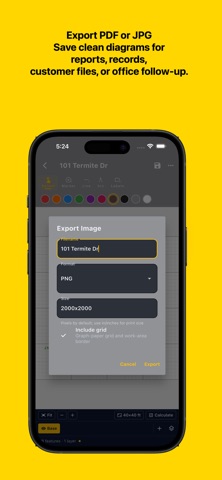
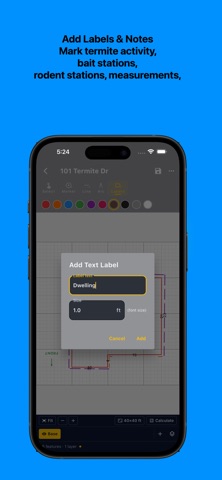
PestDraw Field Diagrams helps pest control professionals, termite inspectors, WDI inspectors, and field service technicians create clean property diagrams without fighting complicated CAD software. Whether you are documenting termite activity, conducive conditions, treatment areas, bait stations, rodent stations, inspection notes, or general pest control service areas, PestDraw gives you a fast way to build simple field diagrams that can be used with your reports, records, or customer communication. PestDraw is designed for practical field use. It is not trying to be a full CAD program or a bloated CRM feature. The goal is simple: help you create clear, readable diagrams quickly. Use PestDraw to create diagrams for: • WDI and termite inspections • Pest control service notes • Rodent station layouts • Bait station placement • Treatment zones and service areas • Property outlines and structure diagrams • Inspection documentation • Customer-facing service records Features include: • Draw property and structure outlines • Add labels and notes • Mark inspection or treatment areas • Create clean field diagrams from your device • Save diagrams for later use • Export diagrams for reports or records • Simple tools built for pest and inspection workflows PestDraw is especially useful when a hand sketch is too messy, a CAD tool is too much, and a CRM diagram tool is too limited or frustrating. This app was built by an active pest control operator and licensed inspector who needed a faster way to create usable diagrams in the field. PestDraw is intended for professionals who need practical documentation tools without unnecessary complexity. Common uses: • WDI inspection diagrams • Termite treatment diagrams • Pest control diagrams • Rodent control diagrams • Service location maps • Field inspection sketches • Customer report diagrams PestDraw helps turn rough field notes into cleaner diagrams that are easier to understand, store, and share. Terms of Use: https://nanohawk.com/about/terms-of-use/ End User License Agreement (EULA): https://nanohawk.com/software-license/ Privacy Policy: https://nanohawk.com/about/privacy-policy/
What's new · 1.12
Package updates to ensure stability and security.
Details