

AR Drawing Projector: Draw Art
Jignesh Kikani · Graphics & Design
Independent analytics for this App Store listing. AppTracker is not affiliated with Jignesh Kikani.
Chart standing · US
What changed · US
Listing changes AppTracker has observed for this app in this storefront — new versions, price moves, rating shifts, and store copy.
- Enhanced Home Experience: Enjoy a cleaner, refreshed header and larger, high-detail template preview cards to make browsing and selecting sketches easier than ever. - Smoother Navigation: Optimized category browsing for faster, seamless transitions. - UI Polish & Performance Improvements: Refined overall layouts and squashed minor bugs for an even better AR drawing experience. Love AR Sketch? Leave us a rating and review on the App Store!
Price & rating history · US
Reconstructed from the listing changes AppTracker has observed in this storefront. A field is charted once it has changed more than once, and each line starts at the value it moved from.
Average rating · ★ 4.11 now · 7 changes on record
Ratings breakdown · US
The star breakdown behind this app's rating in this storefront.
In-app purchases · US
What this app sells inside itself, grouped by kind and priced for this storefront.
Screenshots




About
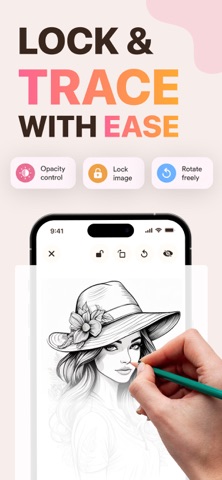
Turn your smartphone into an art projector and learn how to draw anything with ease! Whether you are a beginner looking to improve your sketching skills or an experienced artist wanting to trace complex outlines, this app uses state-of-the-art Augmented Reality (AR) technology to guide your hands on any surface. Just project a template image onto paper, trace the lines, and bring your art to life! HOW IT WORKS: 1. Place your phone on a stand or cup parallel to your drawing surface. 2. Open the app and select your favorite template or upload your own photo. 3. Lock the screen and adjust image opacity. 4. Look through your phone screen and start tracing outlines on paper! KEY FEATURES: AR Camera Projector: Projects outlines directly onto your paper. Lock, rotate, scale, or adjust opacity with simple touch controls. Diverse Template Library: Access 100+ easy-to-draw categories including Anime, Animals, Chibi, Nature, Cars, Food, Mandalas, and more! Draw with Screen (Light Box Mode): Don't have a stand? Turn your screen brightness to max, place paper over your screen, and trace directly. Built-In Flashlight Support:** Keep drawing comfortably even in low-light environments. Unleash your creativity and master proportions, shapes, and shading with every trace. Download the app today and start creating your own masterpiece! Privacy Policy: https://iosarsketch.blogspot.com/2026/05/privacy-policy.html Terms of Service: https://www.apple.com/legal/internet-services/itunes/dev/stdeula/
What's new · 1.4
- Enhanced Home Experience: Enjoy a cleaner, refreshed header and larger, high-detail template preview cards to make browsing and selecting sketches easier than ever. - Smoother Navigation: Optimized category browsing for faster, seamless transitions. - UI Polish & Performance Improvements: Refined overall layouts and squashed minor bugs for an even better AR drawing experience. Love AR Sketch? Leave us a rating and review on the App Store!
Details