

Multica Go - Agent Teams
qiang he · Productivity
Independent analytics for this App Store listing. AppTracker is not affiliated with qiang he.
Chart standing · US
What changed · US
Listing changes AppTracker has observed for this app in this storefront — new versions, price moves, rating shifts, and store copy.
1. Access developer support from the purchase screen, with cloud notification details easier to find.
Ratings breakdown · US
The star breakdown behind this app's rating in this storefront.
In-app purchases · US
What this app sells inside itself, grouped by kind and priced for this storefront.
Screenshots


About
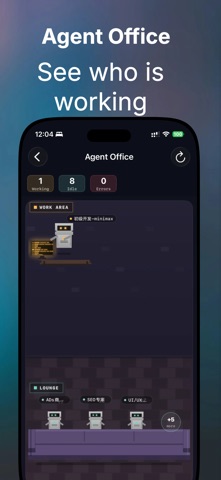
Multica Go is a native iOS client for Multica, built for managing AI agents, work items, projects, and conversations from your iPhone or iPad. Chat with agents, review inbox notifications, create and update issues, manage projects, track usage, and switch between Multica servers in a clean SwiftUI interface. Key features: • Chat with agents and view related task activity • Triage inbox notifications with read and archive actions • Create, edit, and comment on issues • Upload images and files to issues and comments • Manage projects and project resources • Search issues and projects across your workspace • View token usage, cost, runtime, and agent rankings • Switch workspaces and manage multiple servers • Connect to the default Multica API or a custom/self-hosted Multica server • Supports Light Mode and Dark Mode • Supports voice dictation for issue and comment writing Multica Go is designed for users who work with Multica agents and want a fast, native mobile workflow. Note: Multica Go is an unofficial client. A Multica account or compatible Multica server is required. Privacy Policy: https://en.1991421.cn/privacy Terms of Use: https://www.apple.com/legal/internet-services/itunes/dev/stdeula/
What's new · 1.57.1
1. Access developer support from the purchase screen, with cloud notification details easier to find.
Details