

CorgiKeyboard
TechSoakedLoaf SIA · Productivity
Independent analytics for this App Store listing. AppTracker is not affiliated with TechSoakedLoaf SIA.
Chart standing · US
Screenshots
About
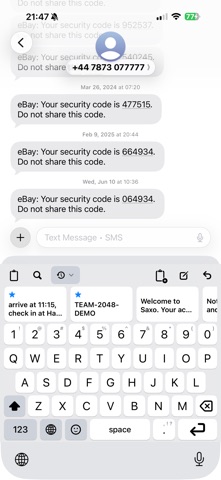
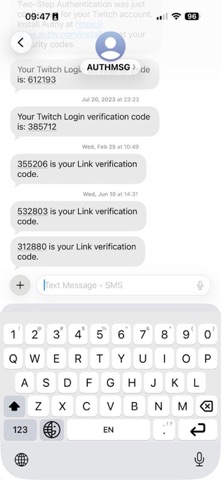
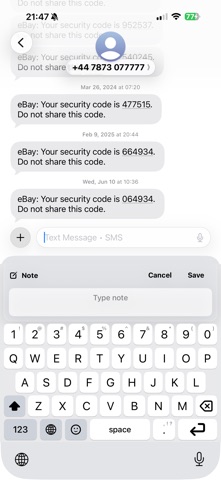
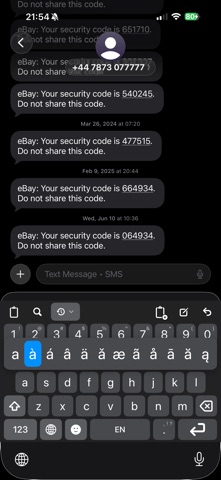
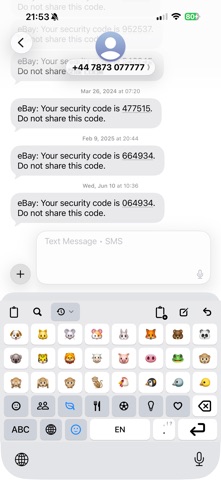
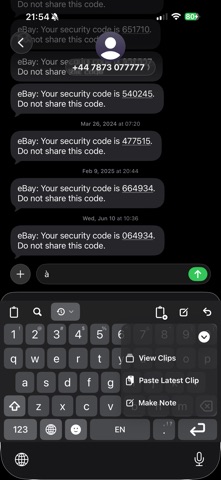
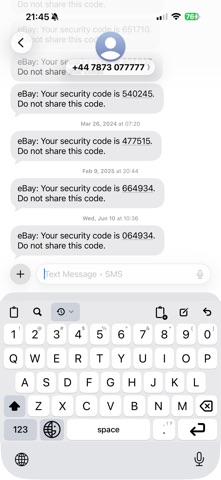
Corgi Keyboard is a privacy-first iOS keyboard that does not try to read your mind. It types, it does not predict, and it does not learn from you. Your saved clips and notes sit one tap above the keys (and only if you want it!) — and every feature is free. WHAT IT DOES NOT DO - No typed-input collection. What you type is not gathered, stored, analyzed, or sent anywhere. - No prediction engine, no autocorrect, no rewriting, no AI features. The keyboard does exactly what you tap. - No swipe learning and no behavioral profiling. - No ads, no subscriptions, no account. - Full Access is optional. Typing works normally without it — only the clipboard features need it, and the keyboard tells you so instead of failing silently. - Content marked as concealed by password managers is never captured. A COMPLETE KEYBOARD - 25 typing languages across Latin, Greek, and Cyrillic layouts, switched from the globe key's long-press menu - Key labels follow the language you are typing in - Emoji picker with Smileys, People, Nature, Food, Activities, Objects, and Symbols - A number row, with optional long-press symbols underneath — including comma under the period key - Long-press any letter for accented variants - Automatic capitalization at sentence starts; double-tap Shift for caps lock - Hold the spacebar to move the cursor in any direction, line by line - Optional undo key that reverses the last text action Corgi Keyboard made - Automatic light and dark appearance CLIPS AND NOTES ABOVE THE KEYS - The Multi-Bar keeps clips, search, recents, save, note, and undo within reach — keep it visible, or long-press Return to call it up only when you need it - Save what is on the clipboard as a clip without leaving the app you are typing in - Write a note straight from the keyboard - Search your clips by typing - Unlimited local clip history and up to ten local folders - Long-press Return for quick actions: view clips, paste the latest clip, or make a note - Shortcuts support: Create Corgi Note, Save Corgi Clip, and Save Clipboard as Corgi Clip WORKS WITH CORGICLIP, IF YOU WANT Corgi Keyboard is complete on its own. If you also use CorgiClip, turn on integration and your CorgiClip folders appear in Saved Clips and Notes. The keyboard reads only the snapshot CorgiClip exports to a shared folder on your device — it never opens the live app database, and it behaves gracefully when CorgiClip is not installed. Turn it off and everything stays local to the keyboard. MAKE IT FIT YOUR HANDS - Two keyboard sizes — standard, or larger tap targets on a taller keyboard - Four haptic feedback levels, including off - Show or hide the Multi-Bar, the undo key, and the number-row symbol hints - Combine the globe and emoji keys into one compact bottom-row key - VoiceOver labels on the keys and controls - Dark mode FREE, WITH OPTIONAL TREATS Every keyboard feature is free for everyone. No paid tier, no unlockables. If Corgi Keyboard earns its place on your keyboard list, there is an optional tip under Support → Donate a corgi treat. Tips unlock nothing, and they are separate from tips in the CorgiClip app. Questions or ideas? support@techsoakedloaf.com Requires iOS 17 or later. To use Corgi Keyboard, add it in Settings → General → Keyboard → Keyboards.
Details