

Live Photo to Video: Livedeo
Vikram Singh · Photo & Video
Independent analytics for this App Store listing. AppTracker is not affiliated with Vikram Singh.
Chart standing · US
What changed · US
Listing changes AppTracker has observed for this app in this storefront — new versions, price moves, rating shifts, and store copy.
## What's New Cleaner design in black and white, with your photos front and center. Clearer onboarding with a short demo. Plain, accurate subscription details on the Pro screen. Better accessibility, including Dynamic Type and VoiceOver labels. Performance and stability improvements.
In-app purchases · US
What this app sells inside itself, grouped by kind and priced for this storefront.
Screenshots



About
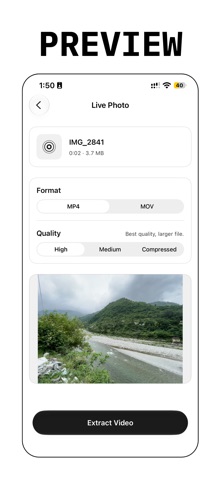
Turn any Live Photo into a video you can save, send, or post. Pick a Live Photo. Choose MP4 or MOV. Tap Extract Video. Livedeo converts it on your iPhone and shows you the result. HOW IT WORKS 1. Pick a Live Photo from your library, or import a file. 2. Choose your format and quality. 3. Extract the video and play it. 4. Save it to Photos or Files, or share it anywhere. KEY FEATURES - Live Photo to MP4 or MOV - High, Medium, or Compressed quality - Browse your Live Photos in the Library tab - Works offline - History to reopen past videos - Optional alert when a conversion finishes - Light, Dark, or System appearance PREVIEW VS PRO You can convert a Live Photo and play the result in the app. Saving to Photos, saving to Files, and sharing need a Pro subscription. SUBSCRIPTION Pro is available as a Weekly or Yearly subscription. The price and billing period are shown before you confirm. Payment is charged to your Apple ID. Your subscription renews automatically unless you cancel at least 24 hours before the end of the current period. Manage or cancel in iPhone Settings > your name > Subscriptions. Privacy Policy: https://1kbapps.com/Livedeo/ Terms of Use (EULA): https://www.apple.com/legal/internet-services/itunes/dev/stdeula/
What's new · 1.5
## What's New Cleaner design in black and white, with your photos front and center. Clearer onboarding with a short demo. Plain, accurate subscription details on the Pro screen. Better accessibility, including Dynamic Type and VoiceOver labels. Performance and stability improvements.
Details