
Smart Printer Doc Scanner
Independent analytics for this App Store listing. AppTracker is not affiliated with the developer.
Chart standing · US
What changed · US
Listing changes AppTracker has observed for this app in this storefront — new versions, price moves, rating shifts, and store copy.
- UI/ UX Enhancements - Critical Bugs Fixing
Screenshots



About
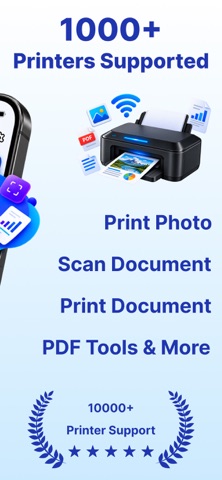
Print, scan, convert, and manage your documents with Smart Printer App. Connect your printer and access a collection of convenient printing and PDF tools designed to make everyday document tasks simple and efficient. Whether you need to print a document, scan a file, convert files to PDF, or organize your documents, Smart Printer App brings essential tools together in one easy-to-use app. Key Features Print Documents Choose documents and print them directly from your device with a simple workflow. Print Photos Print your favorite photos quickly and conveniently. Scan Documents Scan documents and prepare them for printing, sharing, or saving. Convert to PDF Convert supported files and documents into PDF format. Merge Files Combine multiple documents into a single file for easier organization and sharing. Resize Files Adjust document or image size for convenient sharing and printing. Protect Files Help keep important documents protected with file security tools. Unlock Files Remove supported document protection when you have permission to access the file. Compress Files Reduce file size to make documents easier to store and share. Split & Rotate Split documents into separate files and rotate pages when needed. Simple Printing & Document Tools Smart Printer App combines everyday printer and document utilities in one place. From preparing a file to printing the final document, you can manage multiple tasks without switching between different apps. Smart Printer App is designed for students, professionals, home users, and anyone who regularly works with printed documents, PDFs, and photos. Download Smart Printer App and simplify the way you print, scan, convert, organize, and manage your documents. Note: Payment will be charged to iTunes Account at confirmation of purchase. Subscription automatically renews unless auto-renew is turned off at least 24-hours before the end of the current period. The account will be charged for renewal within 24-hours prior to the end of the current period, and identify the cost of the renewal. The cost depends on the selected plan. Subscriptions may be managed by the user and auto-renewal may be turned off by going to the user's Account Settings after purchase. Any unused portion of the free trial will be forfeited when the user purchases a subscription. Privacy Policy: https://sites.google.com/view/hassan-ahmad-babar/privacy-policy Terms of Use: https://sites.google.com/view/hassan-ahmad-babar/terms-of-use
What's new · 1.2
- UI/ UX Enhancements - Critical Bugs Fixing
Details