

Clearcan: PDF Scanner
Ion Hortolomei · Productivity
Independent analytics for this App Store listing. AppTracker is not affiliated with Ion Hortolomei.
Chart standing · US
What changed · US
Listing changes AppTracker has observed for this app in this storefront — new versions, price moves, rating shifts, and store copy.
Two new ways to work with your scans. - Share as image — export any document as a JPG, or as a ZIP of images for multi-page files - Flag important documents and filter to show only what matters - Smoother animations and swipe gestures throughout As always: everything stays on your device. No accounts, no ads, no tracking.
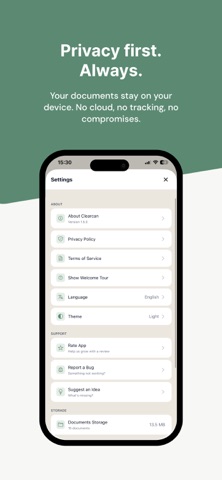
Screenshots



Keywords this app targets
Search terms AppTracker associates with this app — estimates, not search volume. ❝ = in the app's title; a highlighted number is its current position for that term.
Similar apps
Competitors and close alternatives, as estimated by AppTracker.
 Scanner – Scan PDF, ID & Docs
Luni
Scanner – Scan PDF, ID & Docs
Luni
 ScannerHD Pro - PDF Scan
HiThink
ScannerHD Pro - PDF Scan
HiThink
 xScan : Document Scanner App
VPN MobApps Limited
xScan : Document Scanner App
VPN MobApps Limited
 SharpScan Pro: OCR PDF scanner
Pixelnetica
SharpScan Pro: OCR PDF scanner
Pixelnetica
 Lens - PDF Scanner, PDF Reader
BREE AI TECH PTE. LTD.
Lens - PDF Scanner, PDF Reader
BREE AI TECH PTE. LTD.
 My PDF Scanner Doc Scan & OCR
Hangzhou Xiaoyuan Future Technology Co., Ltd.
My PDF Scanner Doc Scan & OCR
Hangzhou Xiaoyuan Future Technology Co., Ltd.
 Smart PDF Scanner
Qrayon, LLC
Smart PDF Scanner
Qrayon, LLC
 PDF Scanner | Document Scan
Rashed Obaid
PDF Scanner | Document Scan
Rashed Obaid
About
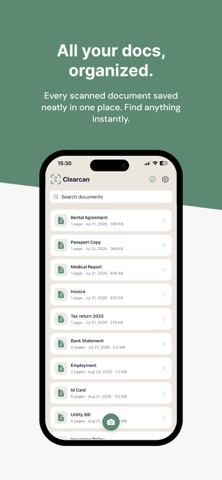
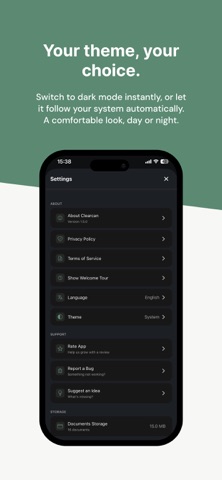
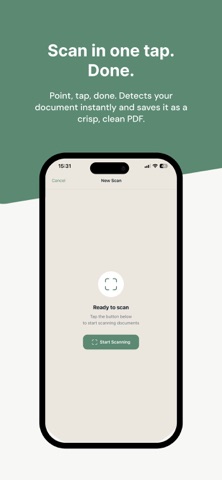
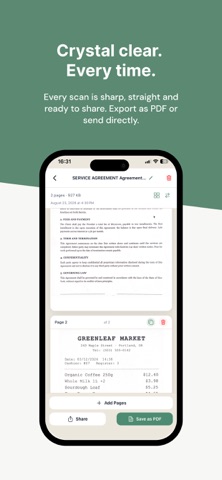
Clearcan is a simple, fast document scanner built for everyone who's tired of cluttered apps full of ads and subscription walls. Just open, scan, and share. No account needed. KEY FEATURES - Multi-page document scanning powered by Apple VisionKit - Automatic edge detection and perspective correction - Text recognition on device — Clearcan reads your scans - Search documents by their content, not just their names - Smart automatic naming for new scans - Copy recognized text from any page - Convert any document to PDF instantly - Export as image — share scans as JPG, or as a ZIP for multi-page documents - Flag important documents and filter to find them fast - Reorder pages before exporting - Add or delete individual pages anytime - Grid view for browsing your documents - Local backup — export everything to a single file and restore it anytime - Light and dark mode, matching your system - Share via Mail, Messages, AirDrop, or save to Files - No ads. No tracking. No subscriptions - Works offline — no internet required EVERYTHING ON DEVICE Text recognition, search and naming all run on your iPhone. Your documents are never uploaded and never seen by anyone. Powerful features without your data ever leaving your device. WHO IT'S FOR Students scanning class notes and handouts. Professionals digitizing receipts and contracts. Anyone who needs a quick, reliable scanner that just works. HOW IT WORKS 1. Tap the camera button 2. Point at your document and capture 3. Add more pages, reorder, or save 4. Export as PDF or image and share anywhere PRIVACY FIRST We don't collect any data. We can't see your documents. Everything stays on your iPhone — exactly where it belongs. When you delete the app, all your data is gone too. No traces left behind on any server. WHY CLEARCAN Most scanner apps are bloated with features you don't need, hidden behind paywalls, or covered in ads. Clearcan does the essentials well — scan, read, organize and save — without ever charging a subscription or showing a single ad. If you just need a clean, powerful scanner that respects your privacy — this is it. SUPPORT Questions or feedback? Email us at hortolomei1989@gmail.com — we read every message. Made with care for everyone who values simplicity.
What's new · 1.6.0
Two new ways to work with your scans. - Share as image — export any document as a JPG, or as a ZIP of images for multi-page files - Flag important documents and filter to show only what matters - Smoother animations and swipe gestures throughout As always: everything stays on your device. No accounts, no ads, no tracking.
Details