

Corner Radius: Live Preview
Phuc Pham · Graphics & Design
Independent analytics for this App Store listing. AppTracker is not affiliated with Phuc Pham.
Chart standing · US
What changed · US
Listing changes AppTracker has observed for this app in this storefront — new versions, price moves, rating shifts, and store copy.
Bug fixes and performance improvements.
Screenshots






About
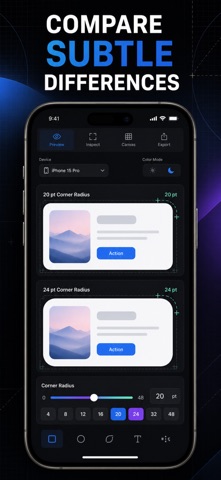
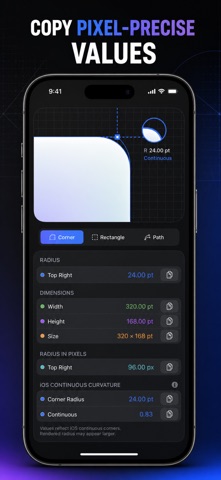
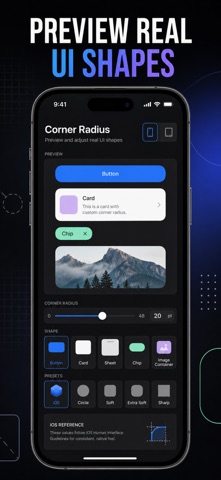
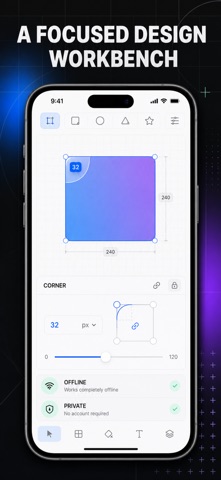
Pick the exact corner radius for a button, card, sheet, or app icon — and see it live, at real size, before you write a single line of code. Most radius decisions happen blind: you type a number, rebuild, squint, and type another. RadiusPreview turns that loop into one slider. Drag it and a real, scalable shape reshapes instantly on screen — 0 to 160 pt, uniform or corner-by-corner. Flip between Apple's continuous squircle and a true circular arc and watch the difference the way your eyes actually read it. When the shape looks right, the exact CSS, SwiftUI, or SVG is already written for you, ready to copy. WHAT YOU GET - One slider that reshapes a real UI surface in real time — no rebuild, no guessing - Copy-ready CSS, SwiftUI, and SVG code for the exact shape on screen - Independent control of all four corners for sheets, chat bubbles, and tabs - A continuous-vs-circular comparison that finally explains why one looks softer - 12 ready-made presets — card, button, pill, sheet, squircle, app icon mask and more - A saved library of your shapes, so a decided radius never gets re-litigated PERFECT FOR - iOS developers matching SwiftUI surfaces to the system look - Web and front-end developers writing border-radius by hand - Product and UI designers defining a radius scale for a design system - Anyone who has ever argued about whether 12 or 16 looks better WHY NOT JUST EYEBALL IT IN THE INSPECTOR? Because a radius of 44 pt on a 260 pt card is not the same radius on a 56 pt button, and a continuous curve at 24 does not match a circular curve at 24. Seeing both at true size, side by side, takes seconds — reworking a component after it ships takes a day. LEARN A built-in Learn section explains the nested-radius rule, how to build a radius scale, the half-height pill trick, per-corner syntax in CSS and SwiftUI, and when sharp beats soft. PRIVACY Everything runs on your device. No account, no sign-in, no ads, no tracking. It works fully offline. FULL ACCESS Premium unlocks per-corner radius control, SwiftUI and SVG code export, the side-by-side continuous vs circular comparison, and all premium presets. Available as a weekly subscription, a yearly subscription, or a one-time lifetime purchase. CSS export, uniform radius, free presets, the radius scale reference, saved shapes, and the Learn section are included without a subscription. Open the app, drag the slider until the corner looks right, and paste the code into your project. Terms of Use (EULA): https://web-levi.web.app/terms Privacy Policy: https://web-levi.web.app/privacy-policy Questions? https://web-levi.web.app/#contact
What's new · 1.2.1
Bug fixes and performance improvements.
Details