

Gradient Maker: CSS Code
Phuc Pham · Graphics & Design
Independent analytics for this App Store listing. AppTracker is not affiliated with Phuc Pham.
Chart standing · US
In-app purchases · US
What this app sells inside itself, grouped by kind and priced for this storefront.
Screenshots


About
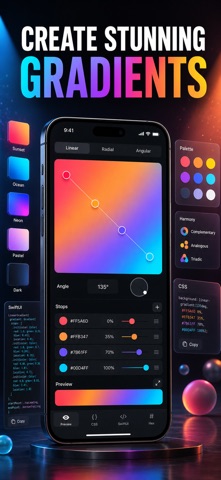
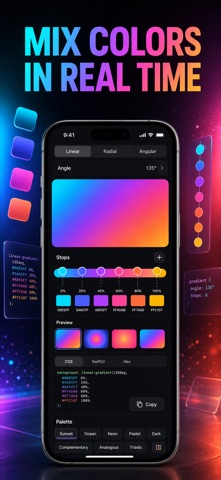
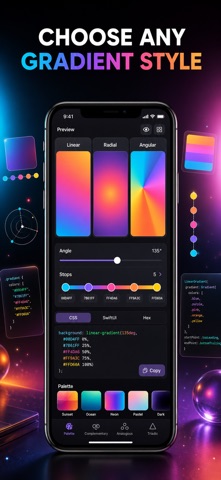
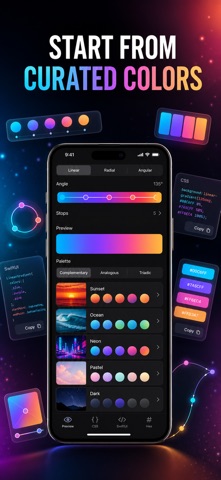
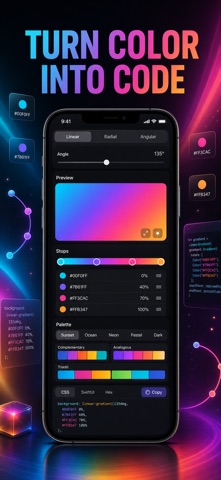
Make the exact gradient you can already picture — then walk away with the code to ship it. GradientMaker is a focused gradient studio for designers and developers who want a beautiful blend and clean, production-ready output, not a bloated graphics suite. Most gradient tools stop at a pretty preview. GradientMaker gives you a real editor: drag color stops on a live track, dial the precise angle, switch between linear, radial and angular (conic) types, and copy the result as CSS, SwiftUI or a raw hex list the instant it looks right. What you design is exactly what you paste. WHAT YOU GET - A big live preview that updates the moment you move a stop, change the angle, or swap gradient type - Linear, radial and angular (conic) gradients with up to eight color stops - Clean, copy-ready CSS for the web and a ready-to-paste SwiftUI gradient for iOS - A raw hex list of every stop for handing off to teammates or design tools - Curated collections — Sunset, Ocean, Neon, Pastel and Dark — plus a one-tap Random starter - A harmony generator that builds complementary, analogous, triadic and monochrome blends from any base color PERFECT FOR - Web developers who need a linear or conic gradient and the CSS to match - iOS engineers who want SwiftUI LinearGradient, RadialGradient or AngularGradient code - Designers building brand palettes, backgrounds and UI themes - Anyone who just loves color and wants a fast, tactile way to explore blends WHY NOT JUST GRAB A GRADIENT ONLINE Random online gradients rarely fit your angle, your exact brand colors, or your stack. Here you tune every stop and degree yourself, preview it full-size, and export code that drops straight into your project — no screenshots, no eyedropping, no guesswork. PRIVACY Your gradients stay on your device. No account, no sign-up, no tracking. There is nothing to leak because nothing leaves your phone. FULL ACCESS GradientMaker Premium unlocks radial and angular gradient types, multi-stop editing beyond two colors, SwiftUI code export, every curated collection and harmony, and unlimited saved gradients. Choose the plan that fits: Weekly, Yearly, or a one-time Lifetime purchase. Payment is charged to your Apple ID; subscriptions renew automatically unless cancelled at least 24 hours before the period ends, and you can manage or cancel anytime in your App Store account settings. Open GradientMaker, drag a stop, and copy your first gradient in under a minute. Terms of Use (EULA): https://web-levi.web.app/terms Privacy Policy: https://web-levi.web.app/privacy-policy Questions? https://web-levi.web.app/#contact
What's new · 1.2.0
Bug fixes and performance improvements.
Details