
Chart standing · US
What changed · US
Listing changes AppTracker has observed for this app in this storefront — new versions, price moves, rating shifts, and store copy.
Visibility settings and ignored alerts are now stored separately for each HomeKit home. Windows, doors, thermostats, sensors, and air conditioners are recognized more reliably. Weather, camera and doorbell video, iCloud restore, widgets, dashboard status, and landscape layouts have also been improved.
Screenshots





About
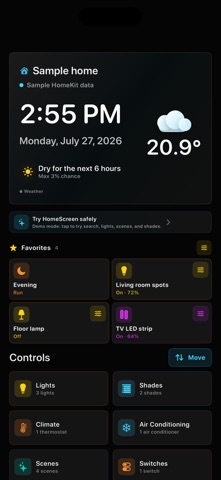
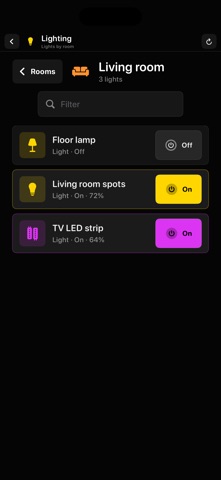
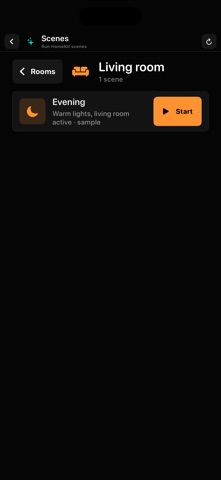
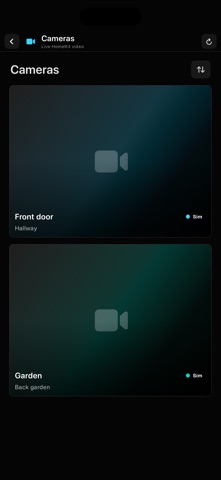
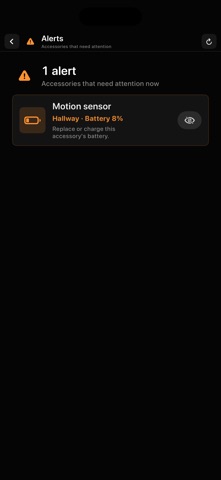
Your home at a glance, with exactly the controls you need. HomeScreen for HomeKit turns your iPhone or iPad into a calm, personal dashboard and a simple control screen for your HomeKit home. Mount an iPad on the wall, use Guided Access, or keep it close on your iPhone: important information stays visible and your home is easy to control without digging through long lists. A CALM DASHBOARD - Time, full date, current weather, and rain forecast - Status of lights, doors, shades, and alerts - Overviews for climate devices, active air conditioners, and temperature sensors - Favorite scenes, lights, switches, shades, and cameras directly on the dashboard - Multiple dashboards for different rooms or people FAST, SIMPLE CONTROL - Search scenes, lights, switches, shades, sensors, and cameras - Quickly reopen recently used items - Control lights, including brightness and the last-used level - Set shades to the right position with a slider - Run scenes with a clear confirmation - Open HomeKit cameras full screen and use optional PTZ controls - Switch easily between HomeKit homes MADE PERSONAL - Choose which rooms, scenes, and accessories are visible - Put rooms and dashboard widgets in your preferred order - Customize names and room icons - Keep dashboards and settings in iCloud within your Apple Account - Choose per device whether its screen stays active, dims, or turns fully black ALERTS THAT HELP HomeScreen can highlight a low battery, unreachable accessory, open door, smoke alarm, or water leak. Services belonging to the same physical accessory are grouped together. Irrelevant alerts can be ignored and restored later. PRIVACY AND PURCHASE Your HomeKit data stays on your device and within Apple's HomeKit environment. HomeScreen needs no separate account and contains no advertising. Try every feature for 30 days. After the trial, unlock HomeScreen with a one-time purchase. No subscription. HomeKit features require a configured HomeKit home and permission to access Home data. Local weather requires location permission. Climate devices and air conditioners are shown as read-only overviews; control remains in Apple's Home app.
What's new · 1.12
Visibility settings and ignored alerts are now stored separately for each HomeKit home. Windows, doors, thermostats, sensors, and air conditioners are recognized more reliably. Weather, camera and doorbell video, iCloud restore, widgets, dashboard status, and landscape layouts have also been improved.
Details