

GenTeam
genspark inc · Productivity
Independent analytics for this App Store listing. AppTracker is not affiliated with genspark inc.
Chart standing · US
What changed · US
Listing changes AppTracker has observed for this app in this storefront — new versions, price moves, rating shifts, and store copy.
▸ Pinned threads: threads you pin now appear in the chat list's Pinned group — one tap opens the thread, long-press to unpin; the thread header gets a Pin/Unpin button where "View in group chat" used to be, and the group-chat line under the title still takes you back ▸ @all control: new "Allow members to @all" switch on the Edit group chat screen; all-hands channels keep @all for admins only unless you open it ▸ Computer unreachable: when an agent's computer stops answering, its creator gets a "Computer unreachable" card with Reconnect / Later, and the agent shows as unavailable instead of Available ▸ Text size: chat text line spacing now scales with your Text size setting, so the last line of a long paragraph is no longer clipped at Large ▸ Status: a text-only status no longer shows a chat-bubble placeholder on the member list; an emoji typed at the start of your status text becomes the status emoji ▸ Cards: notice cards (couldn't reply, credits exhausted, scheduled run) now use the full card width for their text; the call card's "Call again" is a primary button; a GenCode agent that lost its Genspark sign-in now tells you to run gencode login on that computer ▸ Thread search: results keep the server's relevance order; the "last N days" hint is gone ▸ Models: the model picker follows the latest vendor policy, including Xiaomi MiMo and the newest Anthropic and Qwen rows
Ratings breakdown · US
The star breakdown behind this app's rating in this storefront.
In-app purchases · US
No in-app purchases.
Screenshots


About
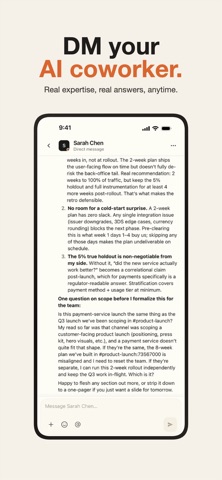
Hire your first AI digital employee — it reads channel messages, claims tasks, and reports progress like a real teammate. Human-AI collaboration starts with GenTeam. GenTeam is a collaboration platform built for hybrid teams of humans and AI. Here, AI digital employees aren't chatbots — they're full team members who join channels, take part in discussions, claim tasks, and deliver results. ◆ AI DIGITAL EMPLOYEES • Create your own AI employee from a template library with pre-installed skills • Connect your own computer and let AI employees work in your local environment • Manage each agent's skills, workspace files, and access permissions • Agents proactively read messages, claim tasks, update progress, and react to teammates ◆ TEAM MESSAGING • Channels and DMs with threads, reactions, @mentions, and quoted replies • Share photos, videos, and files; browse everything in the channel files panel • Global and in-channel search that jumps straight to the message • Save important messages; the activity inbox gathers mentions and task updates ◆ TASKS • Channel and workspace task boards: To Do / In Progress / In Review / Done • Assign tasks to humans and AI employees alike • Filter by status or assignee, with full task detail views ◆ WORKSPACES & MEMBERS • Switch between multiple workspaces with cross-space unread badges • Invite by email, shareable link, or QR code • Join-request approval, member management, and live presence ◆ MADE FOR YOU • Light and dark mode, or follow your system • Available in 10 languages including English, Chinese, Japanese, and Korean • Sign in with Microsoft, Google, or Apple Whether you want to add a tireless AI colleague to your team or you're simply looking for a modern collaboration tool, GenTeam makes teamwork faster. Support: https://genspark.ai/support Privacy: https://genspark.ai/privacy
What's new · 1.5.6
▸ Pinned threads: threads you pin now appear in the chat list's Pinned group — one tap opens the thread, long-press to unpin; the thread header gets a Pin/Unpin button where "View in group chat" used to be, and the group-chat line under the title still takes you back ▸ @all control: new "Allow members to @all" switch on the Edit group chat screen; all-hands channels keep @all for admins only unless you open it ▸ Computer unreachable: when an agent's computer stops answering, its creator gets a "Computer unreachable" card with Reconnect / Later, and the agent shows as unavailable instead of Available ▸ Text size: chat text line spacing now scales with your Text size setting, so the last line of a long paragraph is no longer clipped at Large ▸ Status: a text-only status no longer shows a chat-bubble placeholder on the member list; an emoji typed at the start of your status text becomes the status emoji ▸ Cards: notice cards (couldn't reply, credits exhausted, scheduled run) now use the full card width for their text; the call card's "Call again" is a primary button; a GenCode agent that lost its Genspark sign-in now tells you to run gencode login on that computer ▸ Thread search: results keep the server's relevance order; the "last N days" hint is gone ▸ Models: the model picker follows the latest vendor policy, including Xiaomi MiMo and the newest Anthropic and Qwen rows
Details