

Rosetta: AI Notes, Links, Todo
Gabriel Langon Maomy · Productivity
Independent analytics for this App Store listing. AppTracker is not affiliated with Gabriel Langon Maomy.
Chart standing · US
What changed · US
Listing changes AppTracker has observed for this app in this storefront — new versions, price moves, rating shifts, and store copy.
- Ask Rosetta can find, create and edit notes, one-off reminders and links. Review and validate every proposed change before it is applied. - Show your selected Google calendars and sync reminder titles and dates with the dedicated Rosetta calendar. - Archive notes, reminders and links, then browse and search your archives. - Invite friends with your referral code to earn bonus AI credits for both of you. - Reorder your home screen sections, with improved voice capture, translations and calendar reliability.
Price & rating history · US
Reconstructed from the listing changes AppTracker has observed in this storefront. A field is charted once it has changed more than once, and each line starts at the value it moved from.
Average rating · ★ 4.89 now · 3 changes on record
Ratings breakdown · US
The star breakdown behind this app's rating in this storefront.
In-app purchases · US
No in-app purchases.
Screenshots





About
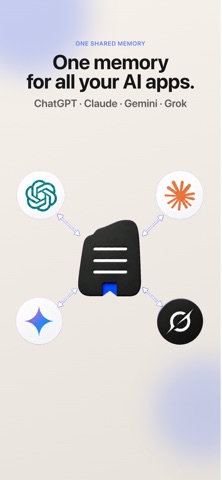
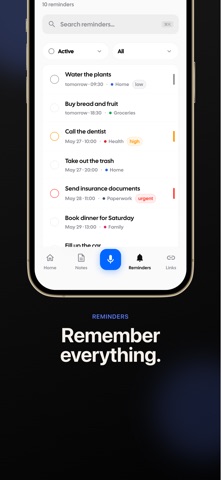
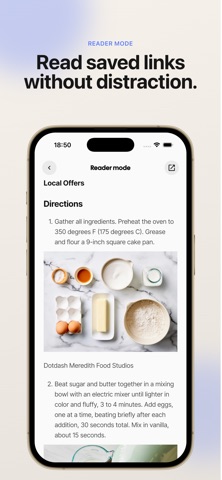
One memory for your AI apps, starting with your voice. Capture voice notes, write in Markdown, save bookmarks and manage reminders in one place. Connect compatible AI assistants to the knowledge you choose to share. CAPTURE IDEAS BY VOICE Dictate a thought on your iPhone or Apple Watch, or import audio, and turn it into a structured note or reminder. Keep recording while you use another app, so an idea does not have to wait. WRITE AND CONNECT MARKDOWN NOTES Write and edit Markdown with headings, images and your choice of editor font. Link directly to a note section, connect notes to reminders and saved links, and explore related notes in a visual graph. Reuse note templates with date and time variables. Export notes as Markdown or PDF. SAVE BOOKMARKS AND WEB PAGES Share a link from your browser to Rosetta to keep it with your notes. Read saved links without distractions, or choose “Import page as a note” to turn a page's main text and images into an editable note. Organize your reading in a list or gallery. TURN PLANS INTO TO-DO LISTS Create reminders, break them into subtasks and set recurring routines. Import Apple Reminders and connect Google Calendar or Apple Calendar to keep events alongside your notes. GIVE YOUR AI ASSISTANTS CONTEXT Ask Rosetta, the built-in AI assistant, questions about your notes. Connect compatible AI assistants through MCP (Model Context Protocol) so they can use the personal knowledge you choose to make available. Keep your context together instead of rebuilding it in each conversation. FIND WHAT YOU SAVED Organize notes, reminders and bookmarks with categories and tags. Search across your memory, choose list or gallery views for notes and links, and use Home Screen widgets for quick access. From a spoken idea to a saved article or your next task, Rosetta keeps the things you want to remember connected.
What's new · 1.6.0
- Ask Rosetta can find, create and edit notes, one-off reminders and links. Review and validate every proposed change before it is applied. - Show your selected Google calendars and sync reminder titles and dates with the dedicated Rosetta calendar. - Archive notes, reminders and links, then browse and search your archives. - Invite friends with your referral code to earn bonus AI credits for both of you. - Reorder your home screen sections, with improved voice capture, translations and calendar reliability.
Details