

TV Remote, Universal Control
Brijesh Kanani · Utilities
Independent analytics for this App Store listing. AppTracker is not affiliated with Brijesh Kanani.
Chart standing · US
In-app purchases · US
What this app sells inside itself, grouped by kind and priced for this storefront.
Screenshots




About
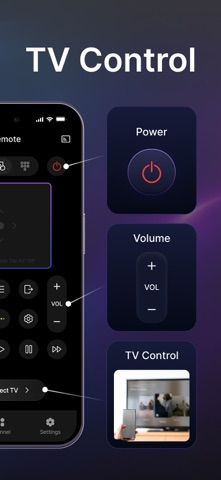
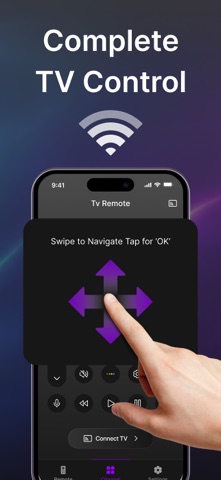
Lost your plastic TV remote? Batteries dead? Or tired of juggling a different controller for every screen in your house? Turn your iPhone into the ultimate Universal TV Remote Control! Seamlessly navigate any Smart TV over Wi-Fi, and completely customize your remote’s interface to reflect your personal style. Designed specifically for one-handed couch navigation, this all-in-one controller replaces clunky plastic remotes with smooth iOS responsiveness. *ONE REMOTE FOR ALL SMART TVs Skip the complex setups. The app automatically detects and links to your television over your home Wi-Fi network in seconds. Fully compatible with major Tier-1 TV brands, including: • Roku TV (TCL, Hisense, Sharp, Element) • Samsung Smart TV (Tizen) • LG Smart TV (webOS) • Fire TV & Amazon Fire Stick • Sony TV, Philips TV • Vizio SmartCast *ACCESSIBLE & CUSTOM LAYOUTS Choose how you want to control your screen based on what you’re watching: • Traditional Buttons: Familiar, high-tactile layout for quick volume adjustments and channel surfing. • Fluid Touchpad: Swipe smoothly through dense streaming menus without ever looking down at your phone. • Numeric Keypad: Instantly punch in cable channels or system PIN codes. • Full Keyboard Input: No more painful letter-by-letter typing on your TV screen. Type passwords and search titles instantly using your iPhone keyboard. *INSTANT SHORTCUT CHANNELS Stop scrolling past dozens of menus just to open an app. Launch your favorite streaming networks directly from your iPhone screen with a single tap: • Netflix, YouTube, Prime Video, Hulu, Disney+, Max, Apple TV+, and more! *REINVENT YOUR REMOTE WITH PREMIUM STYLES Why settle for a boring black controller? Match your remote interface to your mood, your phone layout, or your interior decor: • Dynamic Remote Themes: Toggle between modern sleek, retro tactile, minimalist, or high-contrast neon controller plates. • Premium Backgrounds: Personalize your app’s workspace with beautiful dark-mode gradients, solid textures, or sleek abstract backdrops. *QUICK SETUP SETUP: 1. Connect your iPhone and your Smart TV to the exact same Wi-Fi network. 2. Open the app; it will automatically scan your local network. 3. Tap your TV brand from the list, confirm pairing on your TV screen if prompted, and enjoy clutter-free control! (Note: A local Wi-Fi connection is required for discovery and control. This app is not affiliated with Samsung, Roku, LG, Amazon, or any other television manufacturer trademark.) Premium Features: 3.99$ Weekly, 9.99$ Monthly, 49.99$ Yearly. Privacy Policy: https://universalalltvremote.blogspot.com/2026/05/privacy-policy.html Terms & Condition: https://universalalltvremote.blogspot.com/2026/05/terms-conditions.html EULA: https://universalalltvremote.blogspot.com/2026/05/end-user-license-agreement-eula-of-all.html
Details