

Contact Transfer VCF - vMerge
DRISH LABS · Utilities
Independent analytics for this App Store listing. AppTracker is not affiliated with DRISH LABS.
Chart standing · US
Screenshots
About
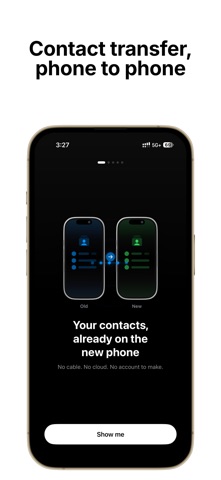
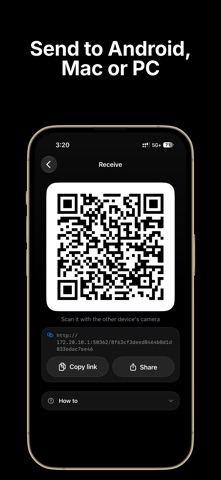
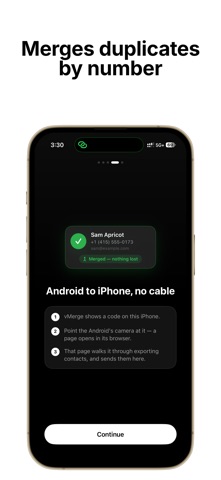
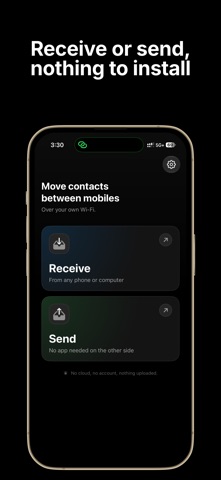
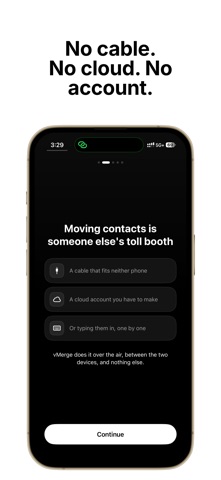
Moving to a new phone? Take every contact with you — no cable, no cloud, no account, no setup. vMerge moves your contacts from one phone to any other device — another phone, a desktop, a laptop, any platform. It all happens over your local Wi-Fi or a personal hotspot. Nothing leaves the room. • iPhone to iPhone, no camera needed Two iPhones on the same Wi-Fi find each other on their own. Open Receive on one, tap it on the other. No QR code, no pairing, no typing. • Or one scan, to anything else phone, laptop, tablet — vMerge shows a QR code, you point the other device's camera, and a browser tab opens with the contacts ready. Nothing to install on the other end. • Lossless, full vCard format Every name, number, email, address, photo, birthday, job title, and custom field travels intact. Standard vCard 4.0 (.vcf) — the format your contacts already speak. Nothing re-encoded, downscaled, or stripped. • Built-in deduplication Landing on a phone that already has some of these people? vMerge spots duplicates and merges them by phone number, not by name. "John Smith" and "Smith, John" on the same number collapse into one — the union of both wins, nothing is lost. You see the merge before it happens. • Works without internet The transfer runs on your local network — router offline, on a plane, anywhere. Personal Hotspot turns your phone into its own small network when there's no Wi-Fi to share. • Private by design Your contacts never touch our servers, because we don't have any. No account. No cloud. No analytics, no advertising SDKs, no telemetry of any kind. Check it yourself: turn on Airplane Mode and vMerge still works. • Speaks your language Fully localized in English, German, French, Spanish, Japanese, and Portuguese — and the browser page on the other device picks up its own language automatically. HOW IT WORKS 1. Open vMerge and tap Send. 2. Pick the contacts — or take all of them. 3. Another iPhone running vMerge shows up by itself. For anything else, a QR code appears. 4. Receive on the other side, check the merge preview, tap Import. WHO IT'S FOR • Anyone switching phones who wants their contacts to come along • Sales teams, journalists, and freelancers handing a list to a colleague • IT admins setting up a new device • Anyone who lost a contact trusting a cloud sync • Anyone tired of cables, dongles, and same-brand-only walls WHAT IT COSTS vMerge is free to move up to 50 contacts per transfer — the whole flow, both directions, no time limit, no account, forever. Lifetime lifts the limit for one payment. Not a subscription. Nothing renews. SUPPORT Questions, edge cases, or a feature request? drishlabs@gmail.com or drishlabs.com/contact. vMerge is a Drish Labs app. We make focused, offline, privacy-first utilities for people who got tired of every app wanting a login. Privacy : https://drishlabs.com/privacy Terms : https://drishlabs.com/terms Contact : https://drishlabs.com/contact
What's new · 1.2
Send straight to another iPhone — no QR code needed. • Two iPhones on the same Wi-Fi now find each other automatically. Open Receive on one, tap it on the other, done. • Receive by scanning: point vMerge at a code another device is showing, and pull the contacts in. • See exactly what a merge will do before it happens — duplicates matched by phone number, with a preview. • vMerge now speaks German, French, Spanish, Japanese and Portuguese, and you can set the app's language yourself in Settings. • Now runs on iPad. • Free covers 50 contacts per transfer, both directions, no time limit.
Details