

PDF Tools - Offline
Ebin Joy · Utilities
Independent analytics for this App Store listing. AppTracker is not affiliated with Ebin Joy.
Chart standing · US
In-app purchases · US
What this app sells inside itself, grouped by kind and priced for this storefront.
Screenshots



About
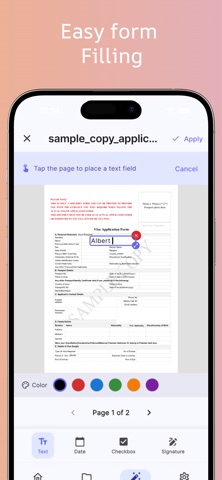
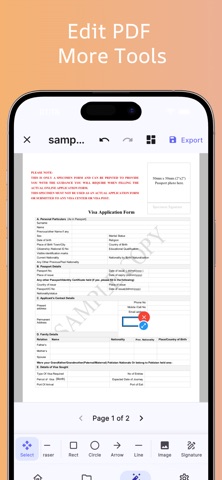
PDF Tools – Offline lets you manage, edit, convert, scan, and secure PDF files directly on your device without uploading anything to the cloud. Fast, private, and secure all processing happens offline. Whether you are a student, professional, business owner, teacher, or everyday user, this app gives you powerful PDF utilities in one simple and modern interface. Why Choose PDF Tools – Offline? **100% Offline Processing Your files never leave your device. No internet required. ** Fast & Secure All PDF operations are processed locally for maximum privacy and speed. **Easy to Use Clean and modern design with powerful tools accessible in one tap. **No Account Required Start using the app instantly without signup or registration. Powerful PDF Tools Included Merge PDFs Combine multiple PDF files into one organized document in seconds. Split PDF Extract pages or split large PDF files into smaller documents. Compress PDF Reduce PDF file size while maintaining quality for sharing and storage. PDF Editor Edit PDF documents quickly and efficiently. Fill & Sign Fill forms and add signatures directly to PDFs. Signature Tool Create and save digital signatures for fast document signing. Scan Document Use your camera to scan documents and save them as high-quality PDFs. Image to PDF Convert photos and images into professional PDF documents. OCR Text Recognition Extract text from scanned documents and images using OCR technology. Watermark PDF Add custom text or image watermarks to protect your documents. Password Lock PDF Secure PDF files with password protection. Unlock PDF Remove passwords from PDFs you own and have permission to edit. Batch Processing Process multiple PDF files at once to save time. Perfect For • Students managing assignments and notes • Professionals handling contracts and reports • Businesses sharing secure documents • Teachers creating study material • Anyone needing a fast offline PDF solution Privacy First Unlike many PDF apps, PDF Tools – Offline keeps your files completely private. No cloud upload. No tracking of your documents. Everything stays on your device. Your PDFs remain secure and accessible anytime, anywhere — even without internet access. Key Features • Offline PDF tools • PDF merger and splitter • PDF compressor • PDF scanner app • OCR text scanner • PDF signature maker • Watermark PDFs • Password protect PDF • Image to PDF converter • Fast PDF processing • Secure PDF editor • Batch PDF operations Download PDF Tools – Offline today and manage all your PDF tasks with speed, privacy, and simplicity.
What's new · 1.0.2
* Added PDF resize, page numbering, page organization, and PDF crop tools * Introduced Preview Mode * Enabled easy file editing directly from the viewer * Fixed various bugs
Details