

Audio Compressor MP3 Converter
嘉莉 梁 · Music
Independent analytics for this App Store listing. AppTracker is not affiliated with 嘉莉 梁.
Chart standing · US
What changed · US
Listing changes AppTracker has observed for this app in this storefront — new versions, price moves, rating shifts, and store copy.
A simpler Home screen puts Trim, Auto Split, Convert and Compress first. Compress Audio now accepts one file or a batch. This update also adds silence removal and improves purchase and restore reliability.
Screenshots




About
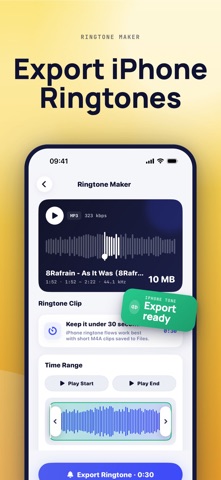
Compress MP3 and audio files to save iPhone storage. Convert audio formats, extract audio from video, cut clips, and create ringtone-ready audio in a few taps. Audio Compressor is built for people who want a simple way to make audio files smaller without complicated settings. Use it for voice memos, lectures, podcasts, interviews, music clips, and recordings that take up too much space. Use Audio Compressor to: - Compress MP3, M4A, WAV, AAC, and more - Reduce audio file size and save storage - Convert audio formats for sharing or editing - Extract standalone audio from video files - Cut clips and export ringtone-ready audio - Change pitch and tempo for practice - Use metronome tools for BPM and beats - Keep compression, conversion, extraction, trimming, pitch, tempo, and metronome tools together Your files stay on your iPhone. No account required, no complicated workflow. by Just Compress Audio Compressor Pro Audio Compressor Pro unlocks every export tool. Choose either plan: - Lifetime Unlock: a single payment, yours forever. - Pro Monthly: an auto-renewable monthly subscription. Payment is charged to your Apple Account when you confirm the purchase. A monthly subscription renews automatically for the same period unless you cancel it at least 24 hours before the current period ends. You can manage or cancel your subscription in your Apple Account settings. Terms of Use: https://justcompress.online/apps/audio-compressor/terms/ Privacy Policy: https://justcompress.online/apps/audio-compressor/privacy/
What's new · 1.1.7
A simpler Home screen puts Trim, Auto Split, Convert and Compress first. Compress Audio now accepts one file or a batch. This update also adds silence removal and improves purchase and restore reliability.
Details