

Video Compressor & MP4 Convert
嘉莉 梁 · Photo & Video
Independent analytics for this App Store listing. AppTracker is not affiliated with 嘉莉 梁.
Chart standing · US
What changed · US
Listing changes AppTracker has observed for this app in this storefront — new versions, price moves, rating shifts, and store copy.
A clearer animated introduction to the app and an improved upgrade flow.
In-app purchases · US
What this app sells inside itself, grouped by kind and priced for this storefront.
Screenshots



About
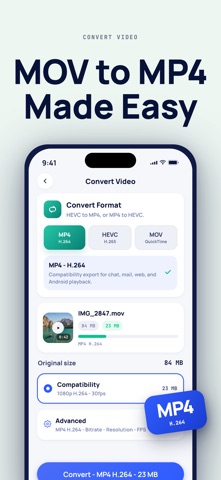
Video Compressor helps you turn large iPhone videos into smaller, more compatible MP4, HEVC, or MOV exports - and turn short clips into looping GIFs that play anywhere. Find large videos with Storage Clean, then choose whether to compress them or delete originals yourself. Use it when an iPhone clip is too large to send, a HEVC video will not play everywhere, an MP4/H.264 video should become a smaller HEVC export, or a short clip should become a GIF that loops forever with no video player needed. Pick a video, choose MP4/H.264, MP4/HEVC, MOV, or GIF, tune the output size, and export a copy that is easier to upload, message, email, or store. Core tools: - Convert HEVC videos to MP4/H.264 for compatibility - Convert MP4/H.264 videos to HEVC for smaller files - Turn videos into looping GIFs with Pro (up to 15 seconds) - Choose GIF smoothness (10, 15, or 20 FPS) and width for smaller GIFs - Export MOV copies for Apple workflows - Reduce video size for sharing - Compress HD and 4K videos locally on device - Choose simple quality presets for smaller files - Batch shrink multiple videos with Pro - Change video speed with Pro - Compress photos as a secondary tool - Compare original and exported file sizes - Save converted videos and GIFs back to Photos - Share smaller video exports from your iPhone Your media is processed on device. Videos and photos are not uploaded to a server. Video Compressor Pro Video Compressor Pro unlocks every export tool. Choose either plan: - Lifetime Unlock: a single payment, yours forever. - Pro Monthly: an auto-renewable monthly subscription. Payment is charged to your Apple Account when you confirm the purchase. A monthly subscription renews automatically for the same period unless you cancel it at least 24 hours before the current period ends. You can manage or cancel your subscription in your Apple Account settings. Terms of Use: https://www.apple.com/legal/internet-services/itunes/dev/stdeula/ Privacy Policy: https://justcompress.online/apps/vidkit/privacy/
What's new · 1.3.1
A clearer animated introduction to the app and an improved upgrade flow.
Details