

Moment: Stock Portfolio
john mckenna · Finance
Independent analytics for this App Store listing. AppTracker is not affiliated with john mckenna.
Chart standing · US
What changed · US
Listing changes AppTracker has observed for this app in this storefront — new versions, price moves, rating shifts, and store copy.
Tap a stock symbol in Today's Summary to open its analysis. It works for the symbols named in the recap and for every row in the lists of what added and lost the most value, including the 30-day, one-year and all-time lookbacks. Analysis now opens straight onto Google Finance for the symbol, with the other research sites listed below. Tap a site to switch the page, or expand it to full screen. The Ask an AI prompt has moved to the end of the list.
Ratings breakdown · US
The star breakdown behind this app's rating in this storefront.
In-app purchases · US
No in-app purchases.
Screenshots



About
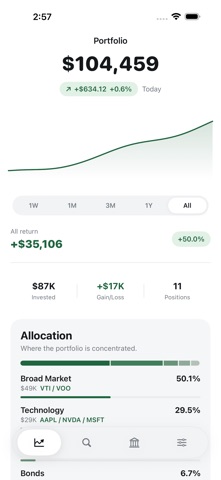
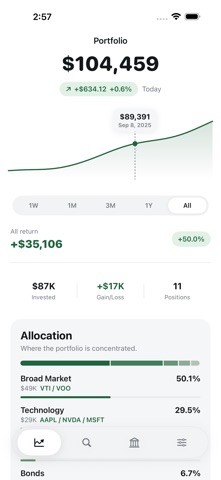
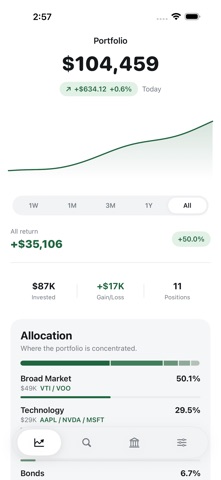
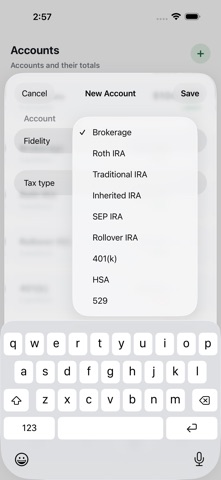
See your whole portfolio in one place — every stock, every account, one clean dashboard. Moment is built for investors who hold positions across multiple accounts (brokerage, Roth, IRA, 401(k)) and want a single, private view of everything they own. Why investors choose Moment: - Multi-Account Dashboard — All your holdings in one view, with totals, gain/loss, and cost basis - Interactive Chart — Press and drag the portfolio chart to see your value on any past day - Live Prices — Quotes refresh automatically throughout the trading day - Smart Breakdowns — See your money by industry (tech, healthcare, energy), by account tax type (Roth, IRA, brokerage), and by index exposure (S&P 500, Nasdaq, bonds vs. individual stocks) - Accounts with Tax Types — Organize holdings into accounts labeled Roth IRA, SEP IRA, 401(k), HSA, and more - Lot-Level Control — Edit share counts or remove individual lots whenever your positions change - Stock Discovery — Search the full U.S. symbol directory instantly, even offline - Research & Decision Journal — Capture pros and cons, your thesis, risks, catalysts, and a journal of every buy/sell decision and why you made it - Private by Design — Sign in with Apple. Add positions manually. No brokerage logins, ever. - Works Offline — Your data is stored on your device first and synced when you're online Free. No ads. No subscriptions. Prices may be delayed. Check with your brokerage before making trades.
What's new · 1.0.26
Tap a stock symbol in Today's Summary to open its analysis. It works for the symbols named in the recap and for every row in the lists of what added and lost the most value, including the 30-day, one-year and all-time lookbacks. Analysis now opens straight onto Google Finance for the symbol, with the other research sites listed below. Tap a site to switch the page, or expand it to full screen. The Ask an AI prompt has moved to the end of the list.
Details