

Drawing Projector Lite
Justinus Laurentius van den Berg · Graphics & Design
Independent analytics for this App Store listing. AppTracker is not affiliated with Justinus Laurentius van den Berg.
Chart standing · US
What changed · US
Listing changes AppTracker has observed for this app in this storefront — new versions, price moves, rating shifts, and store copy.
What's new in 2.1 • Pick up where you left off – Reopen a project and your reference snaps right back to its saved position on the canvas. No need to line it up again. (Premium) • Draw your own markers – No printer? Draw two simple squares on your canvas with a marker and start tracing right away. (Premium) • Image library – Choose from a collection of ready-to-trace images to get started instantly. ] • Video guides – Clear step-by-step videos show you exactly how to set up your canvas. • Premium – Unlock all premium features with a single purchase. Plus smoother tracking and various improvements and fixes.
Screenshots

About
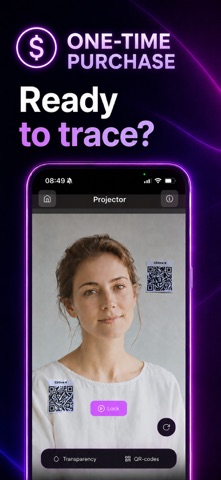
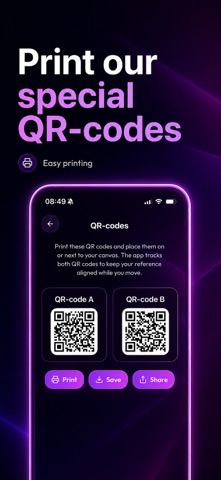
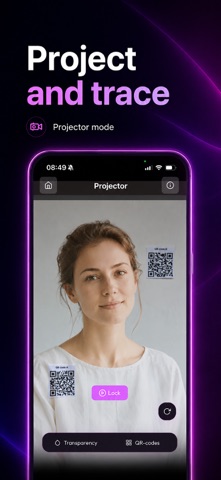
Drawing Projector Lite turns your phone into a simple AR projector that overlays any reference image onto your canvas, paper or sketchbook so you can trace and sketch without grids, tracing paper or hours of measuring. Made for people who just want it to work: • Simple: pick an image, draw markers or print QR-codes, point your camera, start drawing. • Lightweight: fast to open, easy to use, no clutter. • One-time purchase: pay once, use forever. No subscriptions. No ads. WHAT YOU CAN DO • Project any photo from your library onto your canvas. • Rotate, scale and lock the overlay to fit perfectly. • Use optional marker drawing or QR markers for an extra-stable projection. PERFECT FOR • Artists tracing reference photos onto canvas. • Hobby artists doing portraits, pet art, lettering and more. • Beginners who want to skip the gridding step. WHY DRAWING PROJECTOR LITE We built the version we wished existed: no monthly fee, no upsell walls, no AI gimmick: just a focused AR tool that does one thing well.
What's new · 2.1.0
What's new in 2.1 • Pick up where you left off – Reopen a project and your reference snaps right back to its saved position on the canvas. No need to line it up again. (Premium) • Draw your own markers – No printer? Draw two simple squares on your canvas with a marker and start tracing right away. (Premium) • Image library – Choose from a collection of ready-to-trace images to get started instantly. ] • Video guides – Clear step-by-step videos show you exactly how to set up your canvas. • Premium – Unlock all premium features with a single purchase. Plus smoother tracking and various improvements and fixes.
Details