

ttuner: tuner & metronome
ChangHun Sung · Music
Independent analytics for this App Store listing. AppTracker is not affiliated with ChangHun Sung.
Chart standing · US
What changed · US
Listing changes AppTracker has observed for this app in this storefront — new versions, price moves, rating shifts, and store copy.
• New beat bar below the tuner. Tap either display to go full screen. • Edge-to-edge beat fills follow screen orientation. Tap to show controls. • Smoother brightness changes as notes appear or fade.
Ratings breakdown · US
The star breakdown behind this app's rating in this storefront.
Screenshots



About
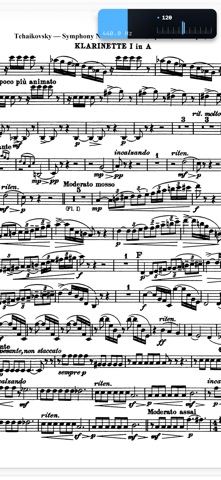
Practice in tune and in time — without putting your instrument down. ttuner is a chromatic tuner, metronome, and practice recorder built for musicians who actually practice. On-device pitch detection, an honest interface, and tools the way conservatory players use them. TUNER • Fast, accurate chromatic pitch detection — entirely on your device. • Set your own in-tune range, in cents. • Transpose and reference-pitch (A4) adjustment. • 15 built-in instrument tunings — guitar, bass, violin, viola, cello, ukulele, mandolin, banjo — plus your own DADGAD, Drop C, or anything you invent. One tap to recall. METRONOME • Time signatures, accents, count-in. • Speed Trainer: set a start and a target, and it adds +5 BPM every few bars while your hands stay on the instrument. • Float it over your sheet music in Picture-in-Picture (a thin floating bar on Android). DRONE • Hold any pitch, any octave, as long as you want — the way conservatory musicians train intonation. Plays behind your sheet music. PRACTICE RECORDER • Record your playing with the pitch timeline and BPM composited right onto the video. • A practice heat-map — tap any day to replay what you played. • Pro bakes the analysis into the file, so it travels with every share. HONEST BY DESIGN • On-device audio. No ads. No subscription. One-time Pro purchase, restored with your Apple ID.
What's new · 1.2.1
• New beat bar below the tuner. Tap either display to go full screen. • Edge-to-edge beat fills follow screen orientation. Tap to show controls. • Smoother brightness changes as notes appear or fade.
Details