

图片压缩 - 批量压缩和导出
利龙 张 · Productivity
Independent analytics for this App Store listing. AppTracker is not affiliated with 利龙 张.
Chart standing · US
What changed · US
Listing changes AppTracker has observed for this app in this storefront — new versions, price moves, rating shifts, and store copy.
Added support for 20 interface languages and refined localized text.
Price & rating history · US
Reconstructed from the listing changes AppTracker has observed in this storefront. A field is charted once it has changed more than once, and each line starts at the value it moved from.
Price · Free now · 2 changes on record
Average rating · ★ 5.00 now · 3 changes on record
In-app purchases · US
No in-app purchases.
Screenshots


About
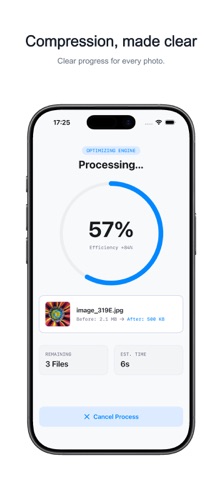
PicZip is a simple, efficient image compression tool that helps you reduce photo file sizes, save storage space, and prepare images for uploading and sharing. Choose a target file size Set your target in KB or MB, or start with the default settings. Apply the same configuration to a single image or an entire batch. Resize when you need to Manual resizing is off by default. Enable it to set a custom width and height and give a group of images consistent pixel dimensions. Select one or more images and compress them with the same settings. Review the original and compressed sizes and the space saved, then save the processed images to Photos in one batch. Useful for organizing photos, preparing images for upload, adjusting ID photo file sizes, and reducing the size of pictures you share. Supports common image formats including JPG, PNG, and HEIF. Output size, format, and image quality depend on the original image and your settings.
What's new · 1.1.0
Added support for 20 interface languages and refined localized text.
Details