

FrameSmoother
Kohei Omori · Photo & Video
Independent analytics for this App Store listing. AppTracker is not affiliated with Kohei Omori.
Chart standing · US
What changed · US
Listing changes AppTracker has observed for this app in this storefront — new versions, price moves, rating shifts, and store copy.
Bug fixes: • Addressed an issue where videos converted to 120fps or similar could turn into slow motion partway through playback in the Photos app. Videos saved as .mov now include information asking for playback at normal speed • Because of this, output above 60fps is now saved as .mov (still H.264) even when MP4 is selected. Output at 60fps or below is still saved in the format you choose
In-app purchases · US
What this app sells inside itself, grouped by kind and priced for this storefront.
Screenshots


Keywords this app targets
Search terms AppTracker associates with this app — estimates, not search volume. ❝ = in the app's title; a highlighted number is its current position for that term.
Similar apps
Competitors and close alternatives, as estimated by AppTracker.
 Key/Frame
Stephan Koopmans
1 shared topic
Key/Frame
Stephan Koopmans
1 shared topic
 Motion Track: Video Stabilizer
Morning Avocado LLC
Motion Track: Video Stabilizer
Morning Avocado LLC
 FramePull Mobile
Carlo Oppermann
FramePull Mobile
Carlo Oppermann
 Video to Photo FrameCutter
Tomohiko Saitoh
Video to Photo FrameCutter
Tomohiko Saitoh
 ReFrame: Multi-Angle Recorder
DAMIEN, NATHANAEL ELLEDGE
ReFrame: Multi-Angle Recorder
DAMIEN, NATHANAEL ELLEDGE
 FrameGrab: Video to Photo
昂 熊
FrameGrab: Video to Photo
昂 熊
 Freeze Frame!
Sebastiaan Peter Dijkema
Freeze Frame!
Sebastiaan Peter Dijkema
 Time Cut: Smooth Slow Motion
立亚 林
Time Cut: Smooth Slow Motion
立亚 林
About
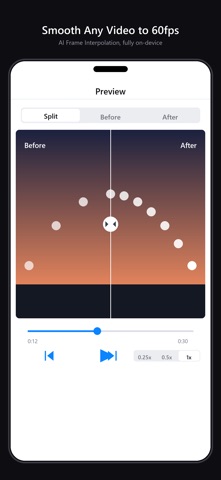
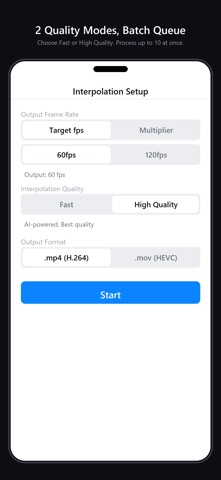
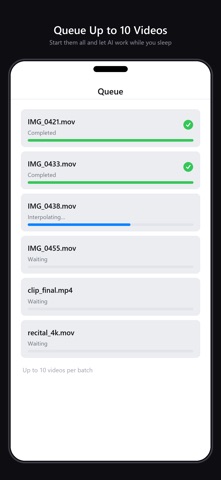
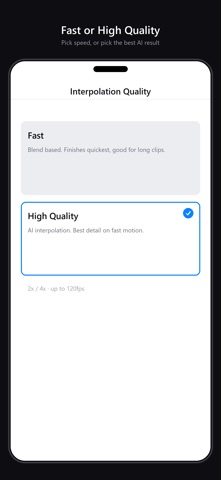
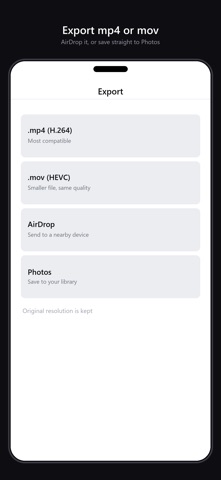
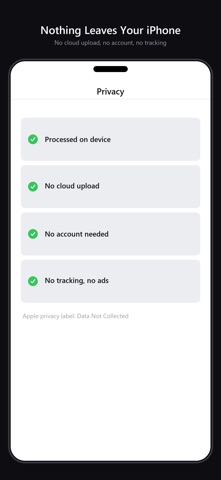
AI Frame Interpolation, fully on-device — turn any video to silky 60fps. Batch up to 10 videos and let AI work while you sleep. 100% private: your videos never leave your iPhone. Features: - AI frame interpolation (2x / 4x, up to 120fps output) - 2 quality modes: Fast (blend) and High Quality (AI) - Batch queue, up to 10 videos - Before/After comparison slider with frame-precise scrubbing - Export mp4/mov, AirDrop, save to Photos - Fully on-device, no cloud upload, no tracking Who it's for: - Creators boosting TikTok / Reels / Shorts engagement - Anime and music video fans enjoying 60fps playback - Parents analyzing sports footage in slow motion Pricing: - One-time purchase, with every feature included from the start - No subscriptions, no recurring charges, no ads Device requirements: - iPhone running iOS 16 or later - Optimized for iPhone 12 and later. Older devices (iPhone XS / XR / 11 / SE 2-3) support up to 1080p input due to memory limits Privacy: We do not collect any data. All processing happens on your device.
What's new · 1.0.11
Bug fixes: • Addressed an issue where videos converted to 120fps or similar could turn into slow motion partway through playback in the Photos app. Videos saved as .mov now include information asking for playback at normal speed • Because of this, output above 60fps is now saved as .mov (still H.264) even when MP4 is selected. Output at 60fps or below is still saved in the format you choose
Details