

MapInk: Map Notes
MC Software Ltd · Navigation
Independent analytics for this App Store listing. AppTracker is not affiliated with MC Software Ltd.
Chart standing · US
What changed · US
Listing changes AppTracker has observed for this app in this storefront — new versions, price moves, rating shifts, and store copy.
Screenshots
About
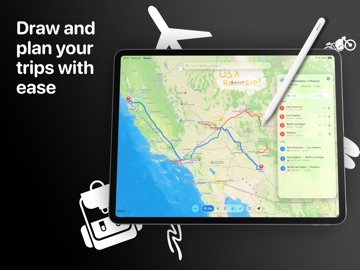
MapInk turns your iPad into a map canvas for planning trips, marking places, and capturing handwritten context exactly where it belongs. Search for a place or address, drop pins, sketch freehand routes, add Apple Pencil notes, and save the whole map as a reusable project. When you want a structured route, connect your pins and calculate driving or walking legs with distance and travel time. When you want to explain or remember a place, write directly on the map and share a snapshot. What you can do with MapInk: - Draw freehand lines on the map and see useful distance labels - Drop titled pins with notes for stops, landmarks, ideas, and meeting points - Plan driving or walking trips through your pins - Add handwritten map notes with Apple Pencil - Save projects with strokes, pins, and notes together - Reopen previous map projects later - Switch between standard, hybrid, and satellite map styles - Share annotated map snapshots MapInk is built for visual thinkers, travelers, field note takers, students, and anyone who plans better by drawing over real places.
What's new · 1.0.1
MapInk 1.0.1 makes planning on the map feel more natural. • Choose whether map tools respond to Apple Pencil, your finger or both. • Pan and zoom more smoothly while drawing or writing notes. • Handwritten notes retain the detail of your original ink after saving. • Unlock unlimited map items with a one-time lifetime purchase. No subscription. • Expanded localization and improved reliability across map interactions. Thank you for using MapInk! Matteo
Details