

Skitter: Guitar Trainer
Ed Caspersen · Music
Independent analytics for this App Store listing. AppTracker is not affiliated with Ed Caspersen.
Chart standing · US
What changed · US
Listing changes AppTracker has observed for this app in this storefront — new versions, price moves, rating shifts, and store copy.
Version 1.2.5 • Progressions: missing your minimum accuracy now keeps you at the same tempo for another try, instead of sending the whole progression back to its starting tempo. Progressions that were reset this way pick up where you left off.
Ratings breakdown · US
The star breakdown behind this app's rating in this storefront.
Screenshots



About
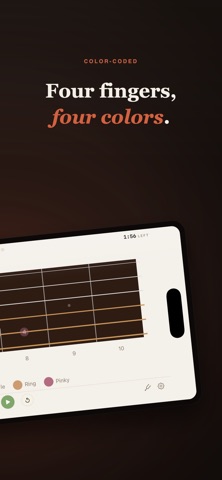
Skitter is a structured practice companion for guitar, bass, and ukulele players. It guides you through finger coordination drills, scales, arpeggios, and music theory exercises with visual fretboard guidance synchronized to a built-in metronome. 60 exercises across five categories Spider walks and coordination drills build finger independence. Scales cover major, minor, pentatonic, modes, and exotic patterns. Arpeggios span triads through seventh chords across two octaves. Broken intervals and circle progressions round out the library. Every theory exercise is playable in all 12 keys. Three ways to see the music Fretboard view shows a top-down neck with color-coded finger dots. Tab view scrolls standard tablature in time with the metronome. Standard notation renders notes on a five-line staff. Switch between them mid-session, or set a default in Settings. Left-handed mode mirrors the fretboard. Two practice modes Tempo mode drives exercises with a precision metronome. Learn mode is self-paced: the exercise waits for you to play the correct note before advancing, using real-time pitch detection through your microphone. Rhythm grading The built-in rhythm grader listens to your playing and scores every beat: Perfect, On Time, Early, Late, or Missed. Optional note validation checks pitch accuracy alongside timing. Three sensitivity levels let you dial in the challenge. Templates and progressions Build multi-exercise playlists with per-exercise BPM and duration settings. Progressions automatically increase tempo and session length as you improve, just show up and play. Built-in tuner Standard mode shows per-string deviation locked to your tuning. Chromatic mode detects any note freely. Works with built-in microphones and external audio interfaces. Guided First Week A 7-day program that introduces one exercise per day, building from 60 to 80 BPM. Designed for beginners or anyone returning to structured practice. Progress tracking Practice calendar, exercise breakdown charts, BPM and accuracy trends, personal records, fretboard coverage heatmap, and 12 milestone trophies. Set a weekly practice goal and track your streak. Works with your setup Supports 6, 7, and 8-string guitars, 4, 5, and 6-string basses, and ukulele. Standard tuning included with support for custom tunings. Compatible with USB and Thunderbolt audio interfaces. Full keyboard shortcut support on iPad and Mac. Free to use, one-time Pro upgrade The free tier includes all beginner exercises, a fretboard view, a standard tuner, progress tracking, and sessions up to 100 BPM for 2 minutes. Pro unlocks the intermediate and advanced exercises, tab and notation views, chromatic tuner, unlimited BPM and session length, advanced starter library tiers, and custom progressions. One purchase, no subscription. All practice data stays on your device with optional iCloud sync across your Apple devices.
What's new · 1.2.5
Version 1.2.5 • Progressions: missing your minimum accuracy now keeps you at the same tempo for another try, instead of sending the whole progression back to its starting tempo. Progressions that were reset this way pick up where you left off.
Details