

Scry: Remote Desktop
Bravely Studios LLC · Utilities
Independent analytics for this App Store listing. AppTracker is not affiliated with Bravely Studios LLC.
Chart standing · US
What changed · US
Listing changes AppTracker has observed for this app in this storefront — new versions, price moves, rating shifts, and store copy.
• Every step of setup can now be skipped • Sessions reconnect on their own after a drop and tell you why a session ended • iPad mice and trackpads work as a pointer, and a held click is never cancelled by a scroll or pinch • Keyboard: capitals and shifted symbols type correctly on Windows computers, plus Send Keys and latching modifier keys • Rename or remove a computer from your device list, and pull fresh status with Refresh • The trial banner sits above the tabs instead of covering them • Stability improvements
Price & rating history · US
Reconstructed from the listing changes AppTracker has observed in this storefront. A field is charted once it has changed more than once, and each line starts at the value it moved from.
Average rating · ★ 5.00 now · 8 changes on record
Ratings breakdown · US
The star breakdown behind this app's rating in this storefront.
In-app purchases · US
What this app sells inside itself, grouped by kind and priced for this storefront.
Screenshots



About
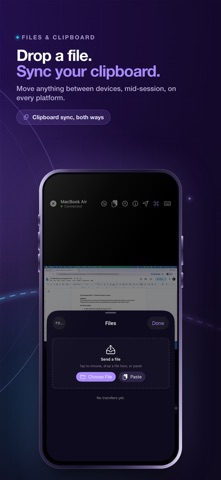
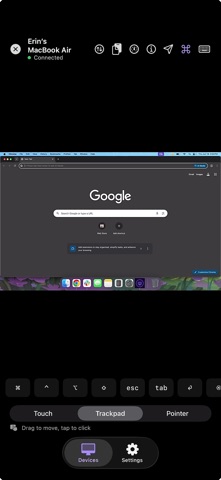
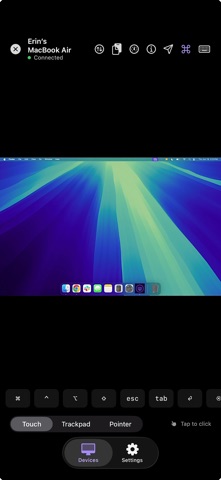
Reach the computer you already own. See and control your own computer — macOS, Windows, or Linux — from your iPhone or iPad. The desktop streams in real time, and your phone or tablet drives it with a hardware keyboard and a precise pointer. WHAT YOU CAN DO • View your computer's desktop live and full-screen • Click, type, and scroll with full iPadOS pointer support, Magic Trackpad included • Hardware keyboard with arrow keys, modifier combos, and shortcuts that pass through • Two-finger tap for right-click, drag-to-select, smooth trackpad gestures • Sync text clipboard between phone and desktop • Connect over your local network when possible, or over the internet when you're out GOOD MOMENTS • Grab a file off your desktop while you're traveling • Run a desktop-only tool from your phone in line at a coffee shop • Use your iPad as a thin client for your computer at the kitchen table • Manage a home server or Linux machine without pulling out a laptop • Check on a long render, compile, or backup from the road INPUT THAT BEHAVES Pointer input tracks the desktop cursor, scroll matches direction, and modifier keys send through. iPad pointer support is wired in directly, so a Magic Trackpad on a Magic Keyboard works as a first-class input device. On iPhone, touch becomes a cursor with a two-finger right-click and pinch-and-drag for selection. NETWORK BEHAVIOR On the same Wi-Fi, the connection runs directly between your two devices. Off your home network, an encrypted route forwards the session. You don't configure any of that; the picker just connects. PRIVATE BY DESIGN The screen stream is encrypted. When traffic is direct, it stays between your phone and your desktop. When a relay is needed, it forwards encrypted bytes and never reads what's on your screen. Scry never opens your phone's camera or microphone. The viewer only shows the desktop you signed in on. SCRY PRO Scry Pro unlocks remote desktop access from this iPhone or iPad. Sign in is free; reaching one of your desktops from the mobile app requires Pro. Subscribe monthly, take the annual plan, or pick up the Lifetime option as a one-time payment. New annual subscribers start with a 7-day free trial. SIGN IN Sign in with Apple, Google, or email. The same sign-in goes on the desktop app you install on the computer you want to reach. SUPPORT Questions, bug reports, and feature requests: support@bravely.dev Privacy: https://bravely.dev/privacy Terms: https://bravely.dev/terms
What's new · 1.8.4
• Every step of setup can now be skipped • Sessions reconnect on their own after a drop and tell you why a session ended • iPad mice and trackpads work as a pointer, and a held click is never cancelled by a scroll or pinch • Keyboard: capitals and shifted symbols type correctly on Windows computers, plus Send Keys and latching modifier keys • Rename or remove a computer from your device list, and pull fresh status with Refresh • The trial banner sits above the tabs instead of covering them • Stability improvements
Details