

Markd.ly - Markdown Editor
Bravely Studios LLC · Productivity
Independent analytics for this App Store listing. AppTracker is not affiliated with Bravely Studios LLC.
Chart standing · US
What changed · US
Listing changes AppTracker has observed for this app in this storefront — new versions, price moves, rating shifts, and store copy.
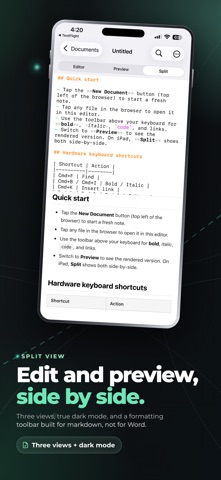
• Write in Visual: type, select, paste and format right in the finished document, with a format bar above the keyboard. In Split, write in either pane. • Export: tap the ⋯ button and choose Export to save a PDF, Word, HTML, Markdown, EPUB, LaTeX or Slides file. • The tabs are now Visual, Markdown and Split, the same as on the Mac. • The guided tour always opens on its welcome document, and its cards no longer cover the button they point to.
Price & rating history · US
Reconstructed from the listing changes AppTracker has observed in this storefront. A field is charted once it has changed more than once, and each line starts at the value it moved from.
Average rating · ★ 5.00 now · 2 changes on record
In-app purchases · US
What this app sells inside itself, grouped by kind and priced for this storefront.
Screenshots



About
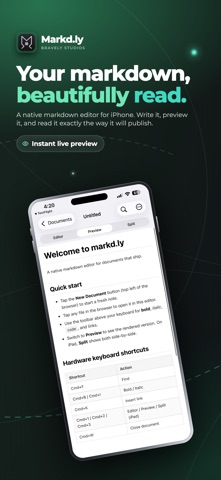
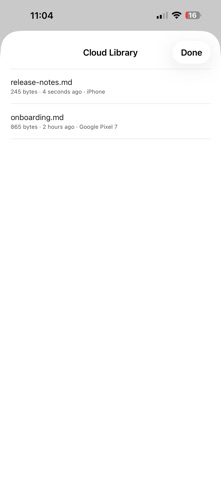
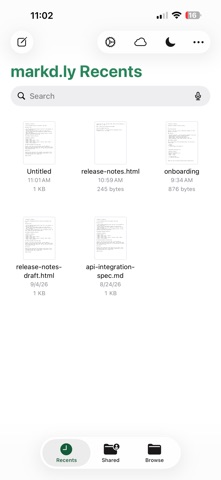
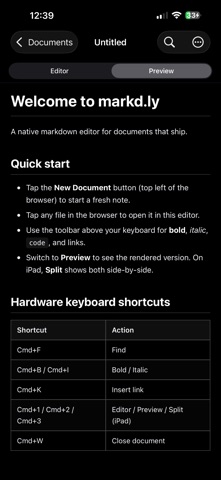
The markdown editor that respects your output. Markd.ly is a native Markdown editor for iPhone and iPad with live preview, built for people who write in plain .md and ship a real deliverable. Open a file, write, and watch the preview render as you type. The same Bravely Account unlocks Markd.ly on Mac, Windows, and Linux too, so the document you start on your phone is waiting on your desktop. WRITE & EDIT • Native SwiftUI editor with adjustable font size and syntax highlighting • Live preview with multiple themes, side by side • Mermaid diagrams render right inside the preview • KaTeX math, inline and block • Open .md, .markdown, .mdown, .mkd, and .mkdn files from anywhere DOCUMENT INTEGRATION • Open files from the Files app and from any Markdown share • Save back to iCloud Drive, Files, or any document provider • Multi-document tabs to switch between drafts • Recent files for one-tap return FOLDER-BASED, NO LOCK-IN Your files stay plain .md on disk — no vault, no proprietary format, nothing to migrate out of later. Git-friendly, and the same files open everywhere else you use Markd.ly. WHAT MARKD.LY IS FOR Blog posts. README files. Documentation. Technical writing. Markd.ly is for writing that lives in markdown but leaves the app as something polished — not a note-graph or a second brain. If you need wikilinks and a graph, use a vault tool. If you want documents that look great when you ship them, this is the editor. ONE PURCHASE, EVERY PLATFORM Markd.ly is a tool, not a service. A single one-time purchase unlocks the complete app on every platform — iPhone, iPad, Mac, Windows, and Linux — carried by your Bravely Account. Buy it once on any platform and the rest unlock automatically, with no per-feature paywalls. The deeper export pipeline — Pandoc to DOCX, EPUB, LaTeX, and slides, a custom CSS editor, a snippet library, vim mode, encrypted documents, the command-line tool, and an MCP server for AI agents — lives on the desktop builds, included in the same one purchase. SIGN IN Signing in is free. Sign in with Apple, Google, or email — the same sign-in works on every Markd.ly app you install. Try it free, then a single one-time purchase unlocks everything. Already bought Markd.ly on another platform? Sign in to restore it here at no extra charge. SUPPORT Questions, bug reports, and feature requests: support@bravely.dev Privacy: https://bravely.dev/privacy/markdly Terms: https://bravely.dev/terms
What's new · 1.11.11
• Write in Visual: type, select, paste and format right in the finished document, with a format bar above the keyboard. In Split, write in either pane. • Export: tap the ⋯ button and choose Export to save a PDF, Word, HTML, Markdown, EPUB, LaTeX or Slides file. • The tabs are now Visual, Markdown and Split, the same as on the Mac. • The guided tour always opens on its welcome document, and its cards no longer cover the button they point to.
Details