

Pocket Shell - SSH client
X Reve · Productivity
Independent analytics for this App Store listing. AppTracker is not affiliated with X Reve.
Chart standing · US
In-app purchases · US
No in-app purchases.
Screenshots

About
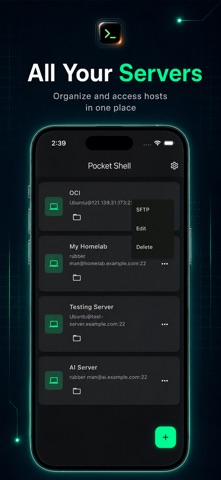
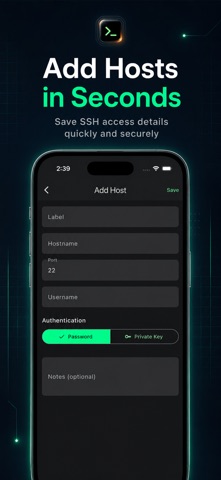
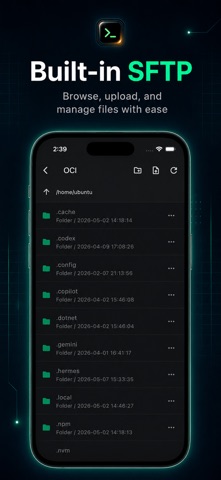
Pocket Shell is a modern SSH client built for developers, server owners, IT users and anyone who needs quick access to remote machines from a mobile device. Connect to your servers, manage saved hosts, browse files with SFTP and run terminal commands from one clean, dark-mode interface. Whether you are checking a VPS, managing a cloud instance, accessing a Linux server or handling quick maintenance tasks while away from your computer, Pocket Shell gives you a simple and focused way to stay connected. Key Features: * SSH Client Save and organize your server connections in one place. Add host details such as hostname, port, username and authentication method, then access your servers quickly when needed. * Terminal Access Open a remote terminal session and run commands directly from your phone. Pocket Shell is designed for quick checks, server monitoring, command execution and remote troubleshooting. * Built-in SFTP File Browser Browse remote folders and manage server files through a clean SFTP interface. Move through directories, view folder structures and access server files without switching tools. * Local Terminal Access a local terminal area for command-line workflows directly inside the app. * Clean Dark Interface Pocket Shell uses a focused dark UI with clear text, simple navigation and developer-friendly controls, making it comfortable to use during long sessions or quick checks. Designed For: - Developers - System administrators - Cloud server users - VPS owners - Linux users - Homelab users - IT support users - Students learning server management - Anyone who needs SSH access on mobile Why Pocket Shell? Pocket Shell is built around one idea: remote server access should feel simple, clean and reliable on mobile. Instead of a cluttered interface, the app keeps the most important tools close: saved hosts, SSH terminal, SFTP file browsing, authentication options and quick access controls. Use Pocket Shell when you need to: - Connect to a Linux server - Check server status - Run quick terminal commands - Manage SSH hosts - Browse remote files with SFTP - Access your VPS or cloud instance - Work with your homelab server - Handle quick server maintenance while away from your computer
Details