

ID Watermark: Document Safe
Changsha Hefeng Yuanye Technology Co., Ltd. · Utilities
Independent analytics for this App Store listing. AppTracker is not affiliated with Changsha Hefeng Yuanye Technology Co., Ltd.
Chart standing · US
What changed · US
Listing changes AppTracker has observed for this app in this storefront — new versions, price moves, rating shifts, and store copy.
- Added support for adding watermarks to multiple photos at once. - Fixed an issue where the on-screen keyboard could cover the watermark text field while entering text.
Ratings breakdown · US
The star breakdown behind this app's rating in this storefront.
In-app purchases · US
What this app sells inside itself, grouped by kind and priced for this storefront.
Screenshots


About
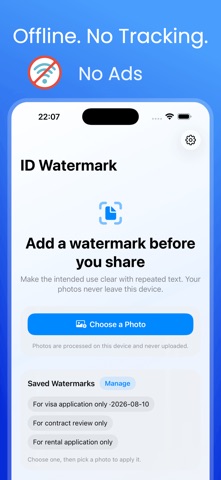
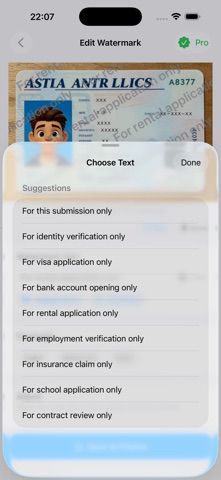
Add full-screen purpose watermarks to IDs, passports, driver licenses, visas, certificates, and other private document photos before you share them. ID Watermark repeats your chosen text across the image so its intended use stays visible. Mark a photo "For this submission only," add a date, or write your own message before sending personal documents for identity verification, employment, renting, school, insurance, banking, or government services. PROTECT PRIVATE DOCUMENT PHOTOS - Make the allowed purpose clear at a glance - Cover the full image with repeated watermark text - Keep names, document numbers, and important details readable - Help deter copying, reuse, and misuse USE IT FOR - ID cards and identity verification - Passports, visas, and travel documents - Driver licenses and permits - Certificates and personal records - Rental applications and employment onboarding - School, insurance, banking, and official submissions QUICK AND EASY 1. Choose a photo 2. Select a suggested purpose or enter your own text 3. Pick the watermark coverage 4. Save to Photos or share from iOS You can also add the current date. The free version includes full-resolution export with no app logo or branding. PRIVATE BY DESIGN - Photo processing stays on your device - Your images are never uploaded - No ads - No analytics or tracking - No third-party image processing MORE CONTROL WITH PRO Pro is a one-time purchase that unlocks: - Font size, weight, spacing, opacity, and color - Rotation, row spacing, horizontal spacing, and stagger - Dragging the watermark away from key details - Saving watermarks to reuse later
What's new · 1.0.4
- Added support for adding watermarks to multiple photos at once. - Fixed an issue where the on-screen keyboard could cover the watermark text field while entering text.
Details