
Chart standing · US
What changed · US
Listing changes AppTracker has observed for this app in this storefront — new versions, price moves, rating shifts, and store copy.
Monitoring now reaches beyond Linux to macOS, AIX and HP-UX, and AI log analysis is far more trustworthy. ■ Beyond Linux • Choose the OS when you add a server: auto-detect, Linux, macOS, AIX or HP-UX • Dashboard support for macOS (Intel and Apple silicon) • Services, Processes, Networking, Storage, Logs and Users now use the right commands for the host • AIX and HP-UX support is experimental ■ Web tools (new) • Open Grafana, Netdata and the Cockpit web console through an SSH tunnel • No firewall ports to open — everything stays inside the app ■ Pinned services and alerts • Pin the services and Docker containers you watch most to the dashboard • New alert rule that tells you when a service goes down ■ Dashboard • Press and hold a card, then drag it wherever you want • Fixed metric history so it actually accumulates over time ■ More trustworthy AI log analysis • Quotes in the answer are checked against the original log, and anything we cannot find is flagged • Copy the result or re-run the analysis with one tap • Fixed the chat still calling the old address after you edited an endpoint • Fixed models that need a subscription being reported as "authentication failed" • The connection test now verifies the model too, not just the server • Fixed long logs having their most recent lines cut off ■ Backup • Your server list is restored automatically after a reinstall or upgrade • Fixed "Back up now" failing silently, and fixed the remote path handling ■ Also • Stability and performance improvements
Screenshots




About
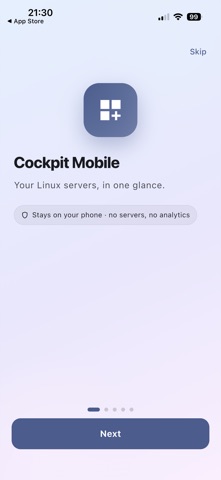
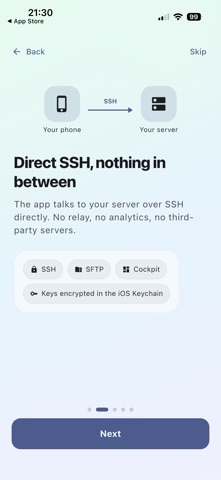
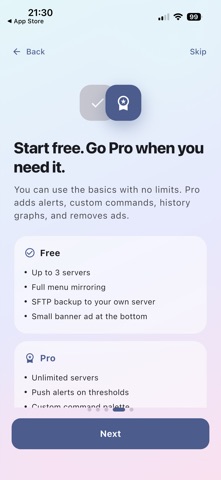
Cockpit AI Server Monitor is a mobile dashboard for managing Linux servers and analyzing their logs with your own AI. It connects over SSH directly to any Ubuntu, CentOS, Rocky Linux, or Debian server running Cockpit. No intermediate relay. — AI Log Analysis (new in v1.2) Plug in your own LLM — a self-hosted Ollama or LM Studio instance, or an API key for OpenAI, Gemini, Anthropic, OpenRouter, DeepSeek, Groq, or Together. Then ask plain questions like "Are any services failing repeatedly?" or "Is the disk filling up?" to get a natural-language read on your system logs. Log data goes straight from your phone to the AI endpoint you configure. It never passes through any server we run. Seven log presets are built in — System, nginx, Apache, MySQL, PostgreSQL, Redis, Docker. AI-suggested shell commands require two-step confirmation, and risky patterns like rm -rf / are blocked automatically. — Real-time monitoring Live CPU, memory, disk, and network charts. Load average, uptime, and logged-in users at a glance. Top resource consumers are highlighted automatically. journalctl, network interfaces, and filesystems are all reachable from the same app. — Built-in SSH terminal A full terminal emulator for running commands directly on your server. Works on Wi-Fi and cellular. — Multi-server management Add servers with SSH key or password auth, with no limit on how many. Color-coded status lets you scan a list of servers quickly. — PRO features · AI Log Analysis (everything above) · Push alerts when CPU, memory, disk, or services cross your thresholds · Background monitoring while the app is closed · Custom commands — one-tap SSH macros · 24h / 7d / 30d history graphs for CPU, memory, and disk · Encrypted SFTP backup and restore to your own server (PBKDF2-SHA256 + AES-256-GCM) · Ad-free The first 30 days unlock every Pro feature with no payment. — Security Every server connection runs over SSH. SSH private keys and passwords are stored in the iOS Keychain. Server lists and dashboard settings live only on this phone. SFTP backups go only to a server you registered. Built for servers running Cockpit (cockpit-project.org). Terms of Use (EULA): https://www.apple.com/legal/internet-services/itunes/dev/stdeula/
What's new · 1.6.1 (22)
Monitoring now reaches beyond Linux to macOS, AIX and HP-UX, and AI log analysis is far more trustworthy. ■ Beyond Linux • Choose the OS when you add a server: auto-detect, Linux, macOS, AIX or HP-UX • Dashboard support for macOS (Intel and Apple silicon) • Services, Processes, Networking, Storage, Logs and Users now use the right commands for the host • AIX and HP-UX support is experimental ■ Web tools (new) • Open Grafana, Netdata and the Cockpit web console through an SSH tunnel • No firewall ports to open — everything stays inside the app ■ Pinned services and alerts • Pin the services and Docker containers you watch most to the dashboard • New alert rule that tells you when a service goes down ■ Dashboard • Press and hold a card, then drag it wherever you want • Fixed metric history so it actually accumulates over time ■ More trustworthy AI log analysis • Quotes in the answer are checked against the original log, and anything we cannot find is flagged • Copy the result or re-run the analysis with one tap • Fixed the chat still calling the old address after you edited an endpoint • Fixed models that need a subscription being reported as "authentication failed" • The connection test now verifies the model too, not just the server • Fixed long logs having their most recent lines cut off ■ Backup • Your server list is restored automatically after a reinstall or upgrade • Fixed "Back up now" failing silently, and fixed the remote path handling ■ Also • Stability and performance improvements
Details