

Daily Planner: Time Blocking
Cengiz Darian Hanci · Productivity
Independent analytics for this App Store listing. AppTracker is not affiliated with Cengiz Darian Hanci.
Chart standing · US
What changed · US
Listing changes AppTracker has observed for this app in this storefront — new versions, price moves, rating shifts, and store copy.
• Apple Watch: what's next, tick tasks off, your inbox and your week — right on your wrist • This week and this month are now free. The week grid and month overview no longer need Premium; Premium is now any other week and month. • DayPlan now speaks 15 languages • iPad: lists no longer stretch across the whole screen • Many small fixes, including readable icons on every category colour
Screenshots




About
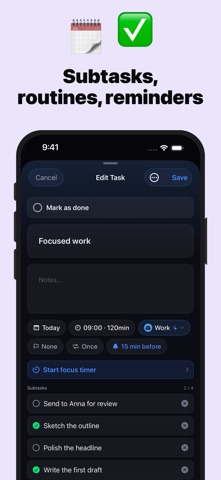
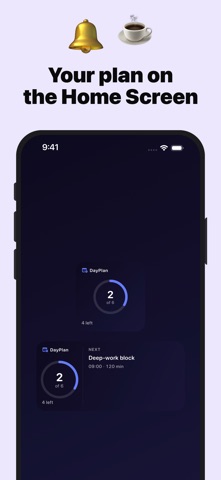
Plan your day with the time-blocking method — the proven approach focused people use to get more done in less time. DayPlan turns your empty calendar into a clear plan. Drag tasks onto a visual hourly timeline, group them by colored category, and see exactly where your time goes. CORE FEATURES • Day timeline with drag-and-drop scheduling • Recurring tasks (daily, weekly, monthly, yearly) • Routines — save reusable templates and insert them with one tap • Colored categories for work, fitness, personal, and more • Auto-Schedule — fills free time slots intelligently with your inbox tasks • Local reminders for upcoming tasks • Apple Calendar integration (read-only) — see appointments alongside tasks • Lock-screen Live Activity for the running task • Siri & Shortcuts: "Add a task to DayPlan" • This week and this month — week grid and month overview, free • Works completely offline PREMIUM • iCloud sync across all your devices • Any other week and month — plan ahead and look back • "Available Time" metric on the day overview • Custom categories with your own colors and icons • Day notes • Home Screen widgets • Apple Watch app — what's next, tick tasks off, your inbox and your week PRIVACY-FIRST DayPlan is built data-minimal: no account, no sign-in, no advertising, no tracking, no analytics SDKs. All tasks are stored locally on your device. If you enable iCloud sync, data is mirrored only into your own private iCloud database — we have no access. PRICING • Monthly subscription • Yearly subscription with a 7-day free trial • Lifetime — one-time payment, no subscription Subscriptions auto-renew unless cancelled 24 hours before the end of the current period in your Apple ID settings. — Terms of Use (EULA): https://www.apple.com/legal/internet-services/itunes/dev/stdeula/ Privacy Policy: https://dayplan-app.web.app/datenschutz
What's new · 1.4
• Apple Watch: what's next, tick tasks off, your inbox and your week — right on your wrist • This week and this month are now free. The week grid and month overview no longer need Premium; Premium is now any other week and month. • DayPlan now speaks 15 languages • iPad: lists no longer stretch across the whole screen • Many small fixes, including readable icons on every category colour
Details