

Intent AI: AI Voice Keyboard
Leverage AI Inc. · Reference
Independent analytics for this App Store listing. AppTracker is not affiliated with Leverage AI Inc.
Chart standing · US
Screenshots


About
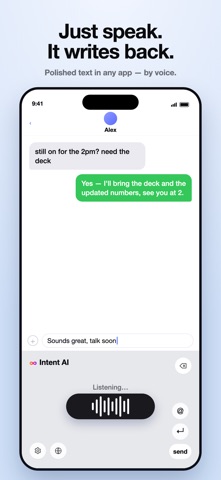
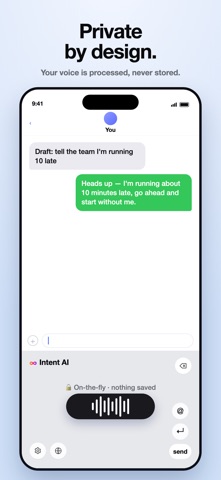
Intent AI turns your voice into clean, ready-to-use text: right inside the keyboard you already use, in any app. Just tap the mic and speak. Intent AI transcribes what you say and refines it into polished text: punctuation added, filler words removed, and phrasing tidied up — then drops it straight into your message, note, or email. WHY INTENT AI • Speak naturally — say it how you think it, and get text that reads like you wrote it carefully. • Works everywhere — it's a keyboard, so you can dictate in Messages, Mail, Notes, and most other apps. • Polished, not just transcribed — Intent AI cleans up "ums," false starts, and run-ons automatically. • Real-time captions — watch your words appear as you speak. • Personal dictionary — keep names and special terms spelled the way you want. • Private by design — no account, no sign-up, and your history stays on your device. HOW TO SET UP 1. Open Intent AI and follow the quick setup. 2. Add the Intent AI keyboard in Settings → General → Keyboard → Keyboards. 3. Turn on "Allow Full Access" so dictation can work. 4. Switch to the Intent AI keyboard in any app and tap the mic. Intent AI is built for anyone who'd rather talk than type — quick replies, long messages, notes on the go, and everything in between. Privacy Policy: https://v9irsd3et7.usttp.larksuite.com/docx/KMoydMcwvo3g2TxnwznudtSJtXb Terms of Use: https://v9irsd3et7.usttp.larksuite.com/docx/VuypdNaU3oNMG7xKZyDu58oitMq
What's new · 0.1.2
bug fix
Details