
Chart standing · US
What changed · US
Listing changes AppTracker has observed for this app in this storefront — new versions, price moves, rating shifts, and store copy.
Price & rating history · US
Reconstructed from the listing changes AppTracker has observed in this storefront, so each line starts at the first change on record.
Average rating
Ratings breakdown · US
The star breakdown behind this app's rating in this storefront.
Screenshots


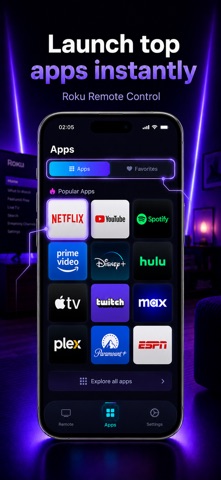
About
Turn your iPhone into a powerful smart TV remote — no extra hardware, no subscriptions, no data collection. TV Remote Control Universal connects directly to your TV over Wi-Fi and gives you complete control from the palm of your hand. WORKS WITH ALL MAJOR SMART TVs • Android TV & Google TV • Samsung Smart TV • LG Smart TV • Roku TV & Roku devices • Hisense, Sony, and more FULL REMOTE CONTROL Replace your physical remote entirely. Control power, volume, channels, navigation, and playback — all from one clean, intuitive interface on your iPhone. TOUCHPAD & D-PAD NAVIGATION Swipe freely on the touchpad just like a trackpad, or switch to the classic D-Pad for precise menu navigation. Your choice. KEYBOARD INPUT Typing on a TV keyboard is painful. Use your iPhone's keyboard instead — fast, familiar, and accurate. LAUNCH APPS INSTANTLY Open Netflix, YouTube, Prime Video, Disney+, Hulu, Spotify, and dozens more with a single tap from the Apps tab. FAVORITES Long-press any app to pin it to your favorites for even faster access. SMART TV DISCOVERY The app automatically scans your local Wi-Fi network and finds your TV within seconds. No IP addresses to enter, no complicated setup. MULTIPLE DEVICES Save multiple TVs and switch between them anytime from TV Management. HAPTIC FEEDBACK Every button press comes with satisfying haptic feedback so your remote feels real. Toggle it on or off in Settings. ZERO DATA COLLECTION We collect absolutely nothing. No analytics, no crash reports, no accounts, no cloud. Your device list and settings stay on your phone only. HOW TO GET STARTED 1. Connect your iPhone and TV to the same Wi-Fi network 2. Open the app — it will scan and find your TV automatically 3. Confirm the pairing code shown on your TV screen 4. Start controlling!
What's new · 1.5
bugs fixes.
Details