

Auto Reframe: Video Crop
冲 洪 · Photo & Video
Independent analytics for this App Store listing. AppTracker is not affiliated with 冲 洪.
Chart standing · US
What changed · US
Listing changes AppTracker has observed for this app in this storefront — new versions, price moves, rating shifts, and store copy.
Bug fixes and improvements.
Screenshots



About
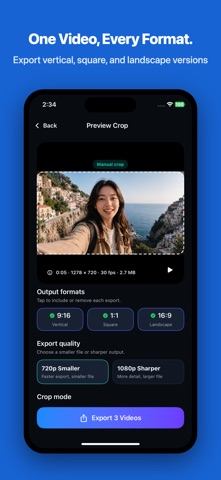
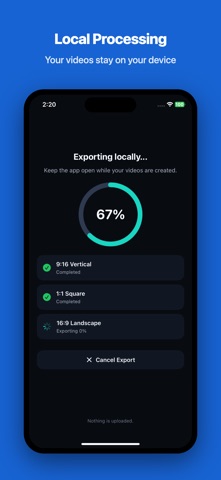
Crop and resize one video into vertical, square, and landscape formats in seconds. Auto Reframe uses face-aware cropping to keep detected people in frame. Fine-tune the crop manually, preview every selected aspect ratio, and export locally—without an account, upload, or editing timeline. KEY FEATURES - Export 9:16 vertical, 1:1 square, and 16:9 landscape videos - Smart face crop keeps people in frame when faces are detected - Center crop fallback keeps exports predictable - Manual crop control for quick subject positioning - 720p free exports for smaller files - Pro unlocks 1080p sharper exports and multi-format export - Save finished videos to Photos or share them from the result screen - Local processing keeps your videos on your device HOW IT WORKS 1. Import a video from Photos 2. Choose the output format you need 3. Preview the crop 4. Export, save, or share BUILT FOR - Creators repurposing clips for short-form video - Small sellers resizing product videos - Marketers preparing social assets - Anyone who needs the right video shape fast Auto Reframe is not a full video editor. It is a focused utility for fast video cropping, resizing, and reframing when you already have the footage and just need the right format. Terms of Use: https://www.apple.com/legal/internet-services/itunes/dev/stdeula/
What's new · 1.0.1
Bug fixes and improvements.
Details