

SnapKiosk
Luke Sharkey · Business
Independent analytics for this App Store listing. AppTracker is not affiliated with Luke Sharkey.
Chart standing · US
Ratings breakdown · US
The star breakdown behind this app's rating in this storefront.
In-app purchases · US
No in-app purchases.
Screenshots

About
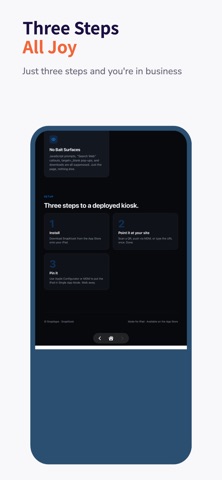
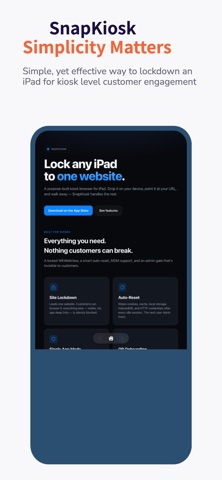
Tired of shoehorning Safari, Chrome, or Edge into a "kiosk" with seventeen workarounds and a prayer? Same. SnapKiosk is a purpose-built kiosk browser for iPad. One website. Locked to it. No address bar. No "Search Web" callouts. No mailto: escape hatches. Just your site, full-screen, exactly the way a real kiosk browser should work. Built by a frustrated Intune admin who finally got tired of bumping into walls — turns out the browsers everyone tells you to use weren't designed for this. SnapKiosk was. WHAT IT DOES • Loads one URL on launch and stays there • Auto-resets between users — wipes cookies, cache, local storage, IndexedDB, and HTTP credentials so the next person starts clean • "Still there?" warning before reset, so users mid-task aren't surprised • Floating Back / Home / Forward, no other browser chrome • Hidden admin gate — tap the four corners clockwise + PIN, invisible to customers • QR onboarding — generate one config QR, walk it to every iPad DEPLOY HOW YOU LIKE • Single device — type the URL, set a PIN, walk away • Through MDM — Intune (yuck), Jamf, Mosyle, Kandji, Workspace ONE, JumpCloud, anything that speaks Managed App Configuration • Pair with Apple Configurator + Single App Mode to fully pin the iPad WHO IT'S FOR Self-service check-in, donation kiosks, info displays, registration portals, retail product browsers — anywhere you'd otherwise stand a tablet running a regular browser and hope nobody pokes at it. Made for iPad. Built for iPadOS. Not designed by a giant tech company that thinks "kiosk" is a checkbox.
What's new · 1.1
This release focuses on resilience and fleet visibility. • When the homepage can't load — bad network, expired SSL, renderer crash — the kiosk now shows a clear error screen with a Retry button instead of a blank page, and auto-retries in the background. • New Settings → Diagnostics captures crashes and hangs via MetricKit, so admins can review on-device or pull diagnostics.json over MDM. • New Settings → Raw MDM payload inspector shows exactly what your MDM delivered — invaluable for debugging Intune / Jamf / Mosyle deployments. • Lockscreen branding fields (title, subtitle, logo, colors) now visible read-only in Settings when MDM-managed. • Attract and error screens auto-contrast text against any background color you push. • Last-loaded-URL beacon written to UserDefaults so MDM tools can monitor fleet state. • "Still there?" countdown ring now honors your configured warning window instead of clamping at 30 seconds.
Details