

Excel to PDF File Converter
Mustafa Utku Coskun · Utilities
Independent analytics for this App Store listing. AppTracker is not affiliated with Mustafa Utku Coskun.
Chart standing · US
Screenshots



About
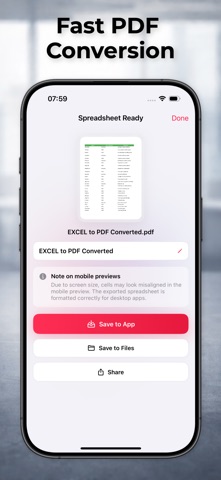
Turn your Excel files, spreadsheets, tables and workbook documents into clean PDF files in just a few steps. Excel to PDF Converter is designed for users who need a simple and practical way to create PDF documents from spreadsheet files. Whether you are working with office documents, reports, tables, school files, finance sheets or business records, the app helps you convert your Excel-style documents into PDF format for easier saving, sharing and printing. With a clear and focused workflow, you can import your spreadsheet file, convert it into a PDF document and keep the result ready for daily work, study or business use. Use Excel to PDF Converter to: Convert Excel files into PDF documents Create PDFs from spreadsheet files Convert XLS and XLSX documents Turn tables and workbook files into shareable PDFs Save converted PDF files for later use Share PDF documents when needed Prepare files for printing, archiving or business records The app is useful for students, office workers, accountants, freelancers, teachers, business owners and anyone who works with spreadsheet documents regularly. Whether you need to send a table as a PDF, save a workbook as a document, prepare a report for printing or keep a clean PDF copy of your spreadsheet, Excel to PDF Converter gives you a focused tool for the job. Some features, access options or usage limits may require an in-app purchase or subscription. Terms of Use - https://www.apple.com/legal/internet-services/itunes/dev/stdeula/ Privacy Policy - https://sites.google.com/view/excel-to-pdf-etp/privacy-policy
What's new · 6.70.1
Bugs fixed.
Details