

Tenki26
Jaime Poseley · Utilities
Independent analytics for this App Store listing. AppTracker is not affiliated with Jaime Poseley.
Chart standing · US
Screenshots

About
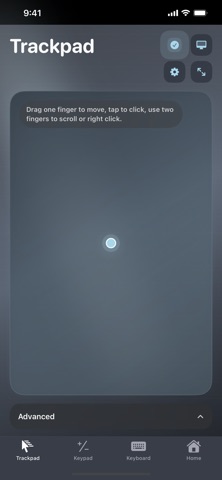
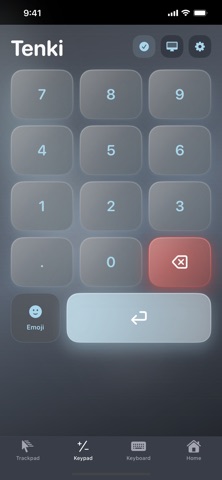
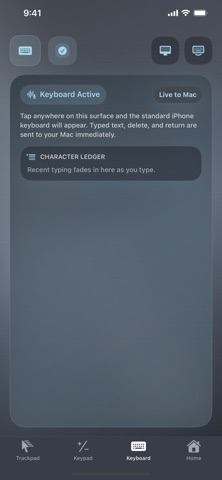
Tenki turns your iPhone into a versatile companion controller for your Mac. Connect to Tenkimac on the same local network, then move naturally between three purpose-built control surfaces: • Trackpad — Move the pointer, click, drag, right-click, and scroll with familiar gestures. Tune sensitivity, smoothing, and haptic feedback to match your preferred feel. • Keypad — Enter numbers and commands from a focused ten-key layout, with optional key sounds, haptics, and quick emoji access. • Keyboard — Type directly into the active app on your Mac using the iPhone keyboard. Make Tenki your own with five coordinated visual themes: Receiver, Console, Terminal, Vector, and Clean. Your selected theme and control preferences persist between launches. Private by design: • No account required • No ads or tracking • No analytics • No cloud service required • Commands stay on your local network Requirements: • A Mac running the Tenkimac companion • Both devices connected to the same local network • Accessibility permission enabled for Tenkimac so it can deliver requested keyboard and pointer events to the active Mac app Tenki is built for anyone who wants an extra trackpad, a dedicated numeric input surface, or a convenient remote keyboard close at hand.
Details